> For the complete documentation index, see [llms.txt](https://docs.cloudeka.ai/llms.txt). Markdown versions of documentation pages are available by appending `.md` to page URLs; this page is available as [Markdown](https://docs.cloudeka.ai/guideline-for-individual/deka-gpu/deka-gpu-registry/detail-registry/tag-immutability/update-rule.md).
# Update rule
The **Update Rule** feature is used to update the configuration of an existing **Tag Immutability rule** in a registry. Through this page, users can readjust the scope of repositories and tags to which the immutability rule will be applied.
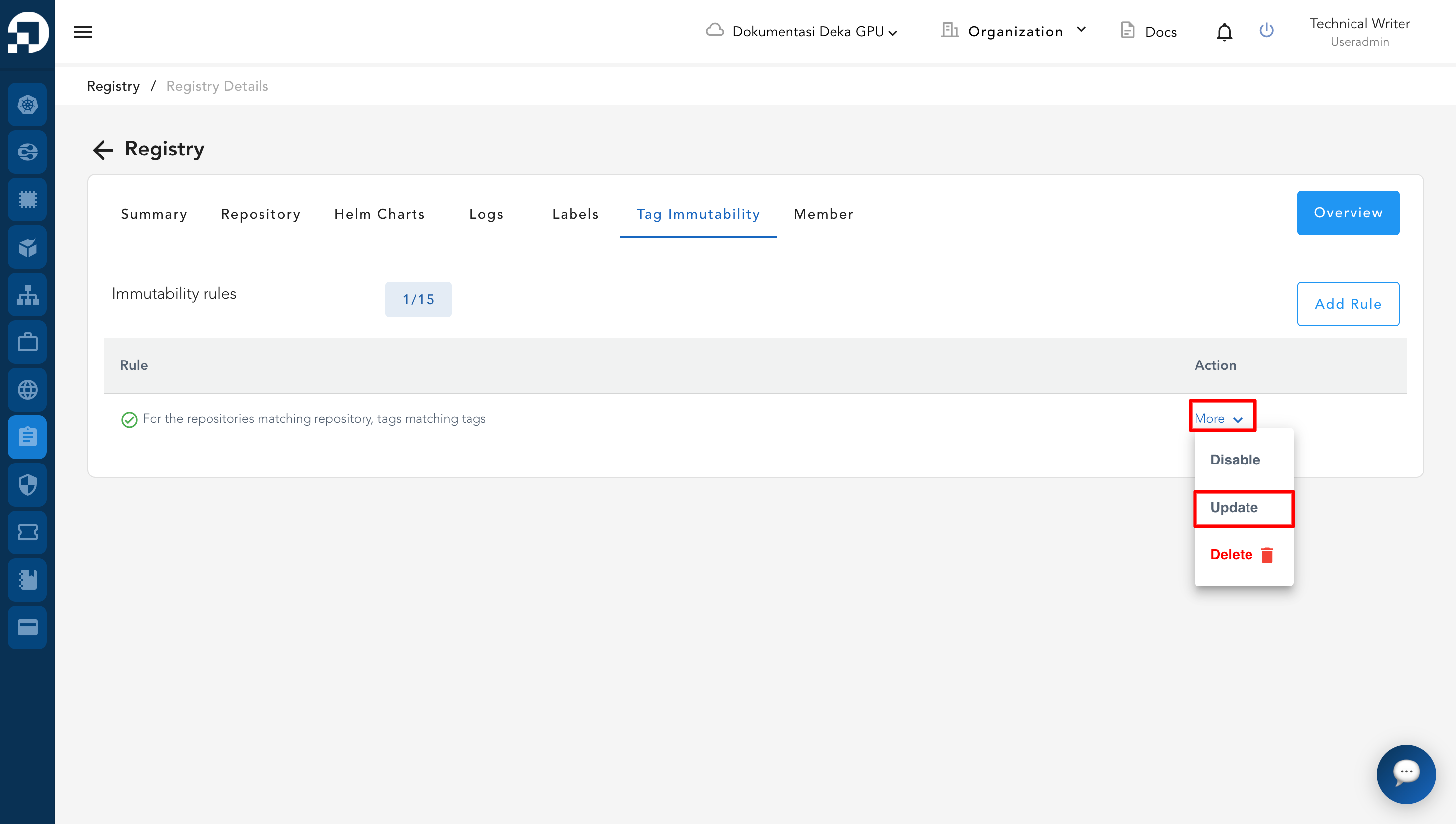
* To **update rule data**, go to the **Registry** page → Select the **Tag Immutability** tab → Choose the rule data you want to update → Click the **More** button on the selected rule → Select **Update**.
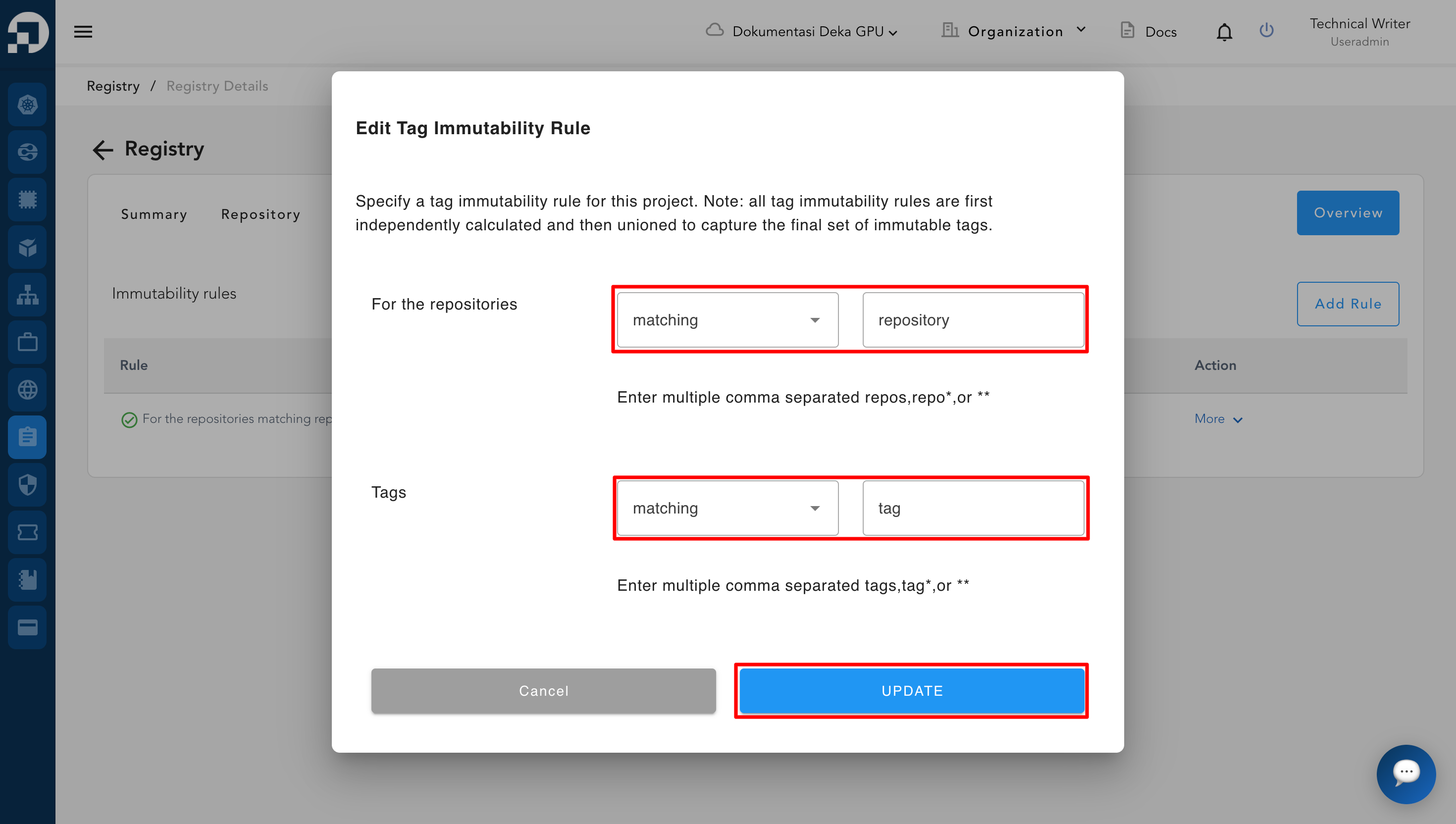
* After clicking the **Update** button → The system will display the **Edit Tag Immutability Rule** form → Modify the rule data as needed → Click the **Update** button again to save and apply the changes.
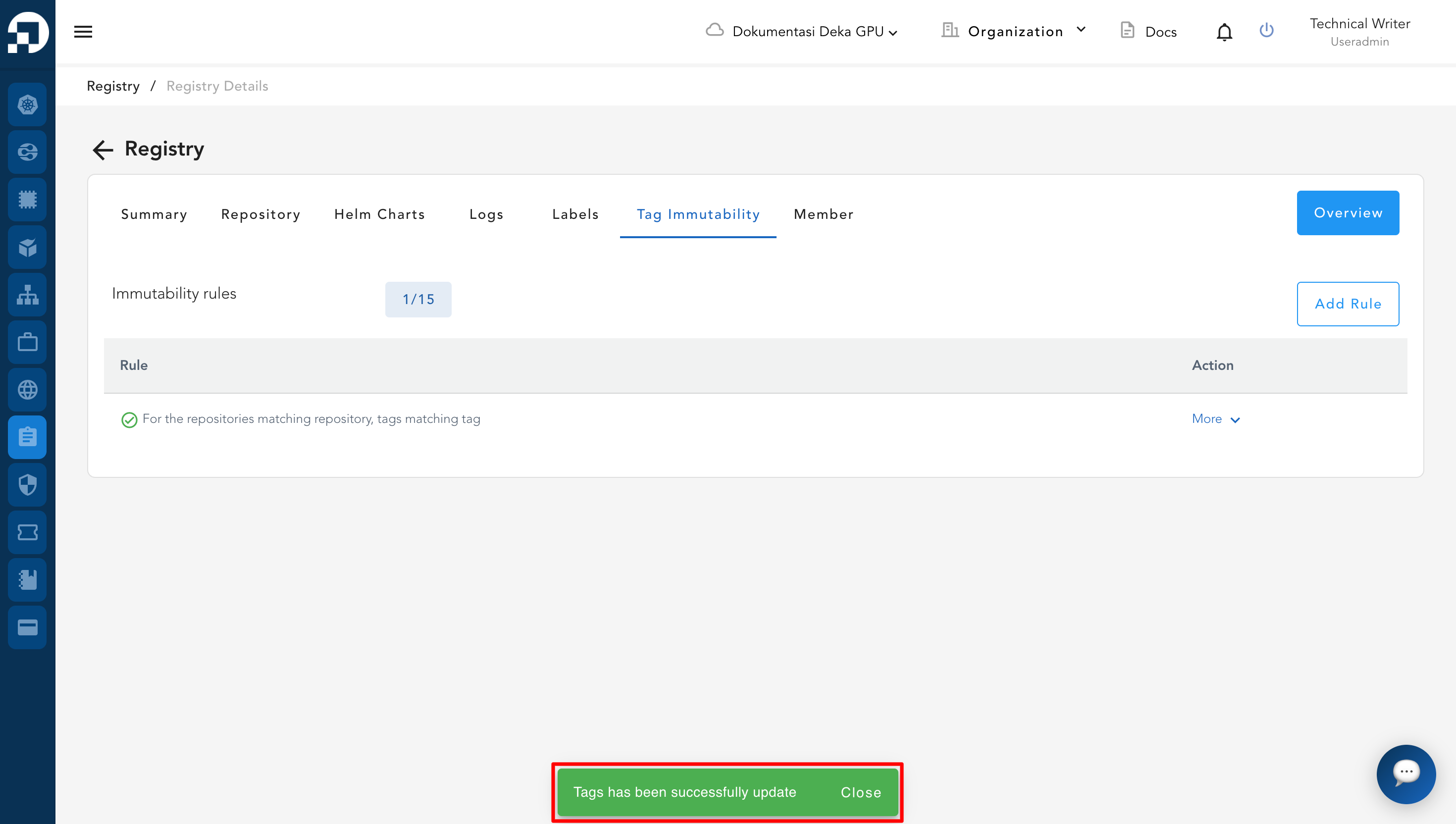
* After completing the data updates → The system will display the notification **"Tags has been successfully updated"**, indicating that the data has been successfully updated.