> For the complete documentation index, see [llms.txt](https://docs.cloudeka.ai/llms.txt). Markdown versions of documentation pages are available by appending `.md` to page URLs; this page is available as [Markdown](https://docs.cloudeka.ai/guideline-for-individual/deka-llm/detail-deka-llm/alert-tab/delete-a-alert.md).

# Delete a Alert

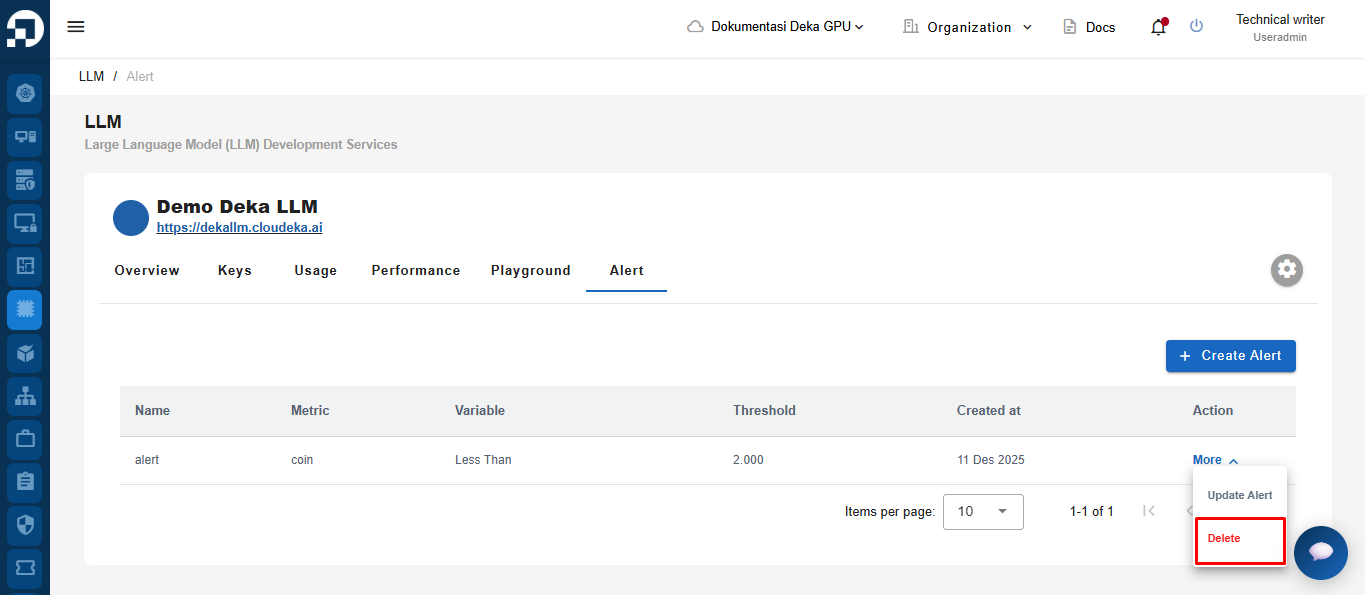
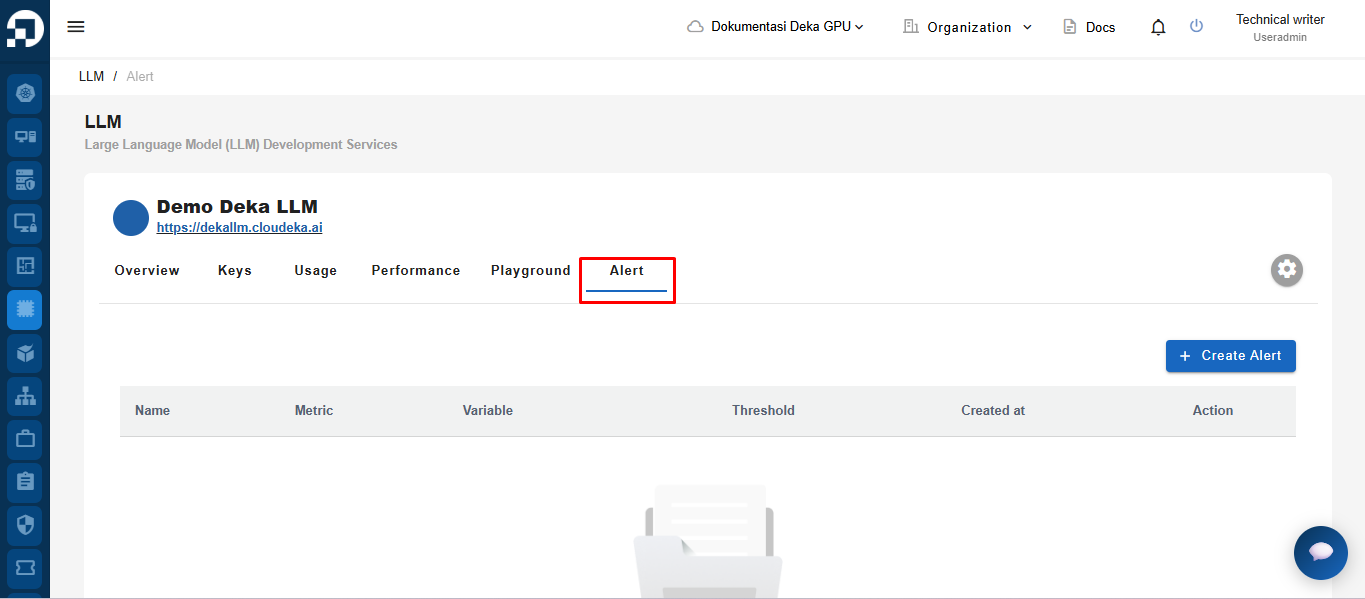
On the LLM menu in the Service Portal AI page, select the Alert tab.

<figure><img src="https://content.gitbook.com/content/dRGHNSPw8ps5rkLJZT3A/blobs/9H9xkhGHO5nafOKW91Cb/unknown.png" alt=""><figcaption></figcaption></figure>

In the Action column, click the More button and choose Delete.

<figure><img src="https://content.gitbook.com/content/dRGHNSPw8ps5rkLJZT3A/blobs/m8ra2Z1JPy8HupmusKqs/unknown.png" alt=""><figcaption></figcaption></figure>

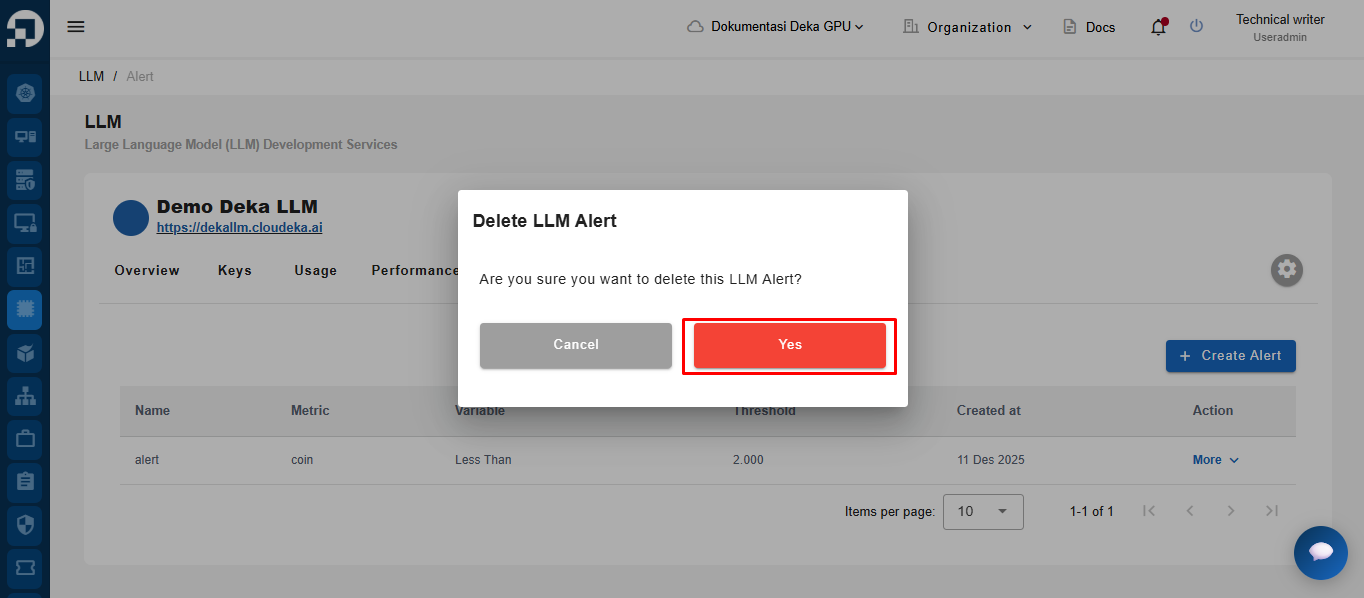
The Delete LLM Alert window will appear. Click Yes to delete the registered alert.

<figure><img src="https://content.gitbook.com/content/dRGHNSPw8ps5rkLJZT3A/blobs/43jXHtC3WDmbvxk8Gakg/unknown.png" alt=""><figcaption></figcaption></figure>

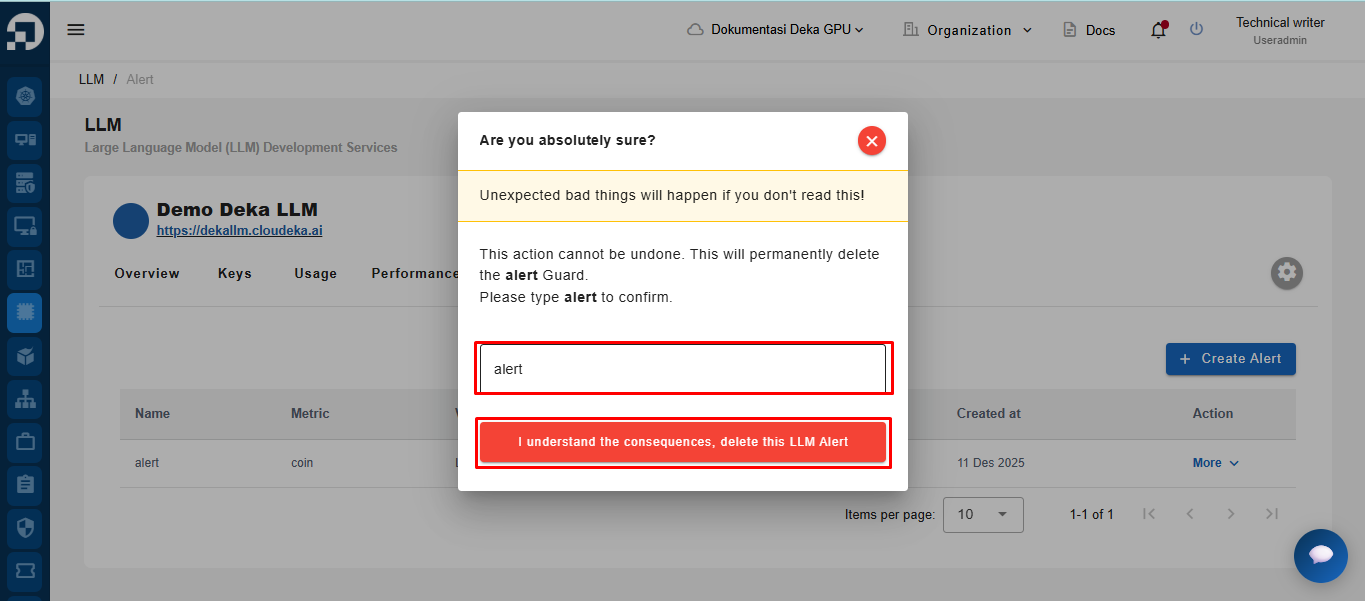
Type the name and click "I understand the consequences, delete this LLM Alert".

<figure><img src="https://content.gitbook.com/content/dRGHNSPw8ps5rkLJZT3A/blobs/wy6Cr7Q12oI5IXlvWR0M/unknown.png" alt=""><figcaption></figcaption></figure>

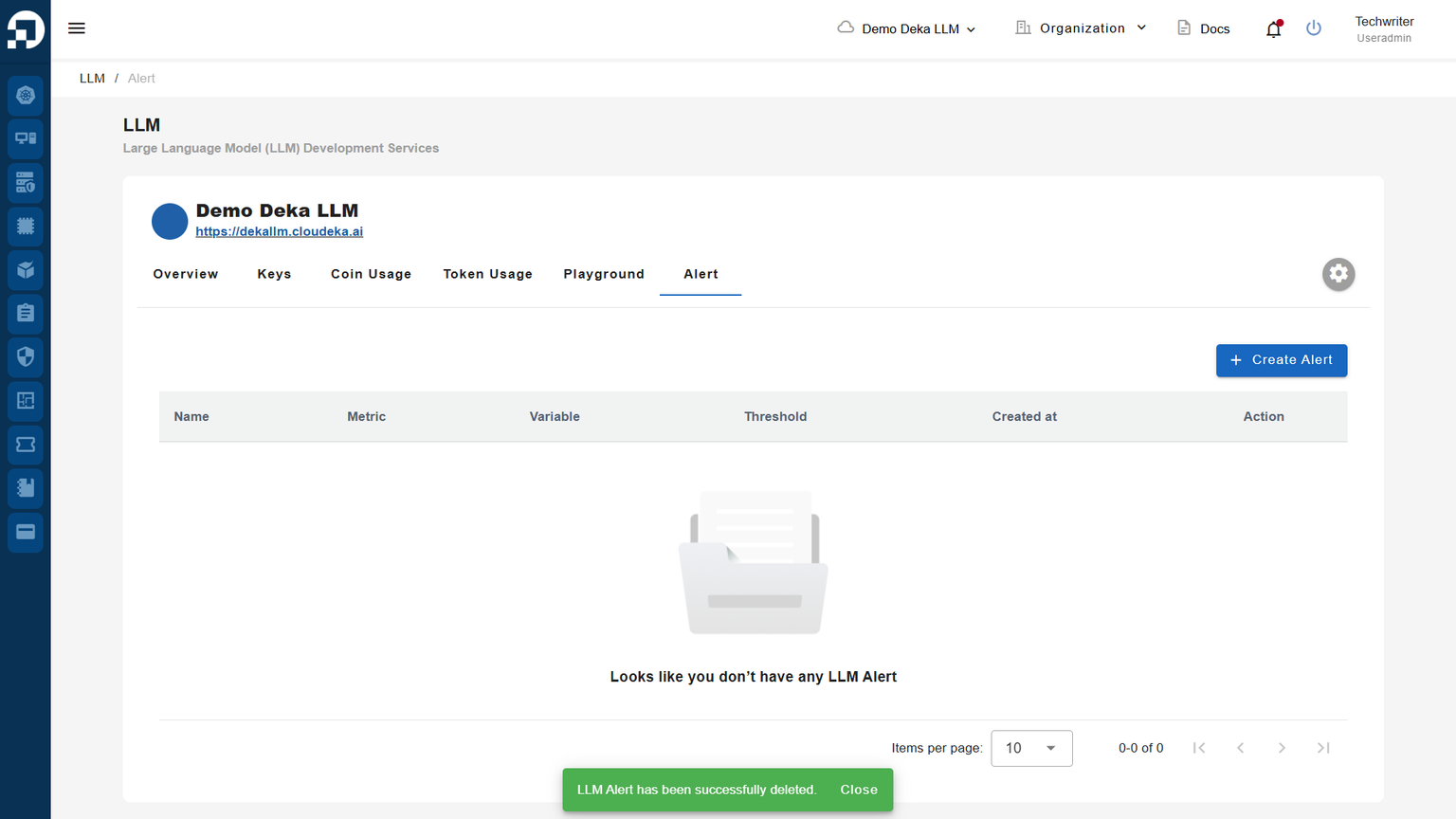
A notification will appear: "LLM Alert has been successfully deleted."
<figure><img src="https://content.gitbook.com/content/dRGHNSPw8ps5rkLJZT3A/blobs/VzLq6VjwnfTIwnUq4qUA/unknown.png" alt=""><figcaption></figcaption></figure>