> For the complete documentation index, see [llms.txt](https://docs.cloudeka.ai/llms.txt). Markdown versions of documentation pages are available by appending `.md` to page URLs; this page is available as [Markdown](https://docs.cloudeka.ai/guideline-for-individual/deka-llm/detail-deka-llm/keys-tab/get-a-secret-key.md).
# Get a Secret Key
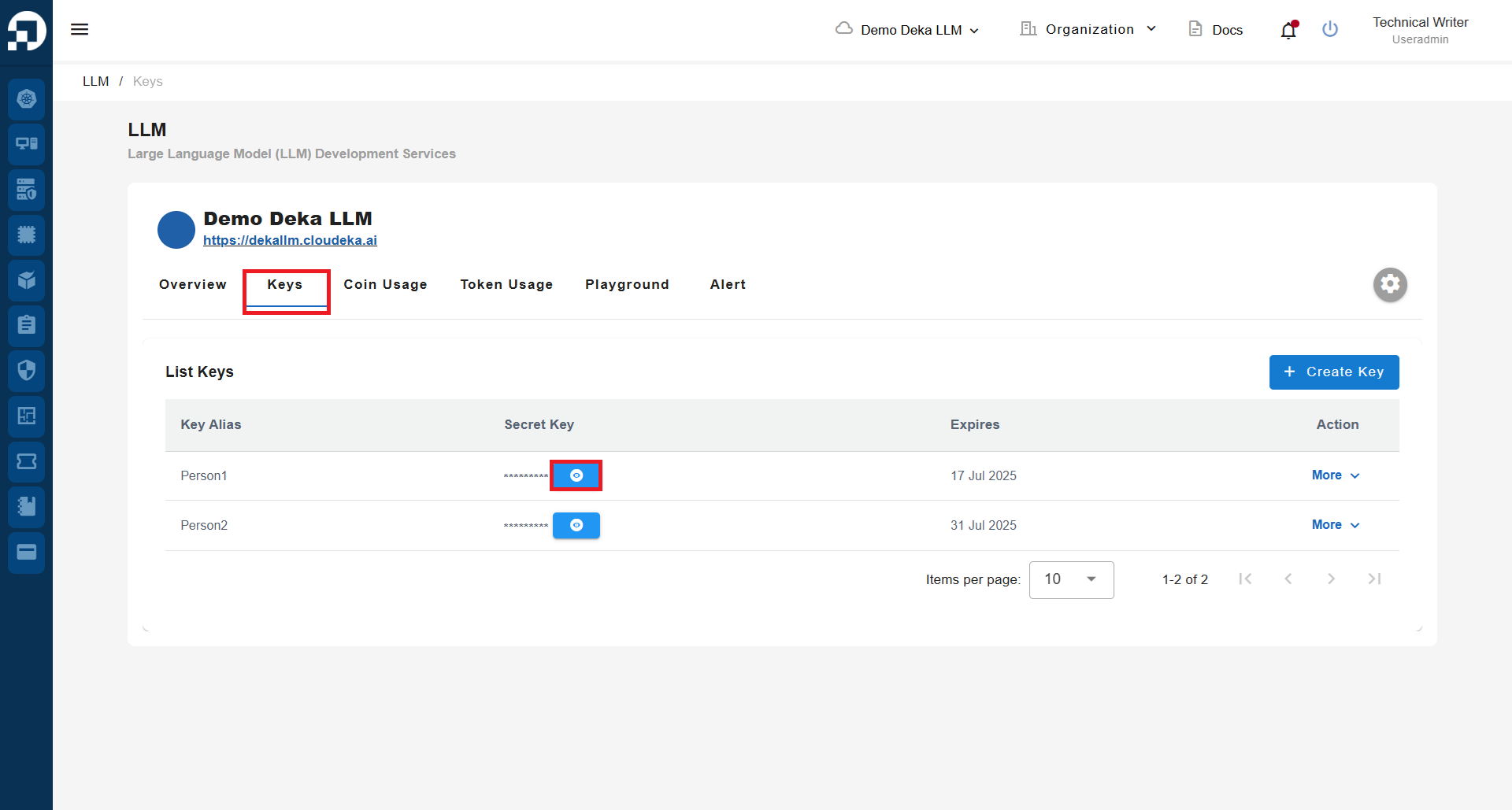
To obtain the **Secret Key** on **Deka LLM** in the **Service Portal AI**, ensure that you have already created a **Key**. If you have not created a **Key** yet, you can follow **sub-section** [**Create a New Key**](/guideline-for-individual/deka-llm/detail-deka-llm/keys-tab/create-a-new-key.md). On the **Keys Tab** page, click the **eye icon**.
List Keys
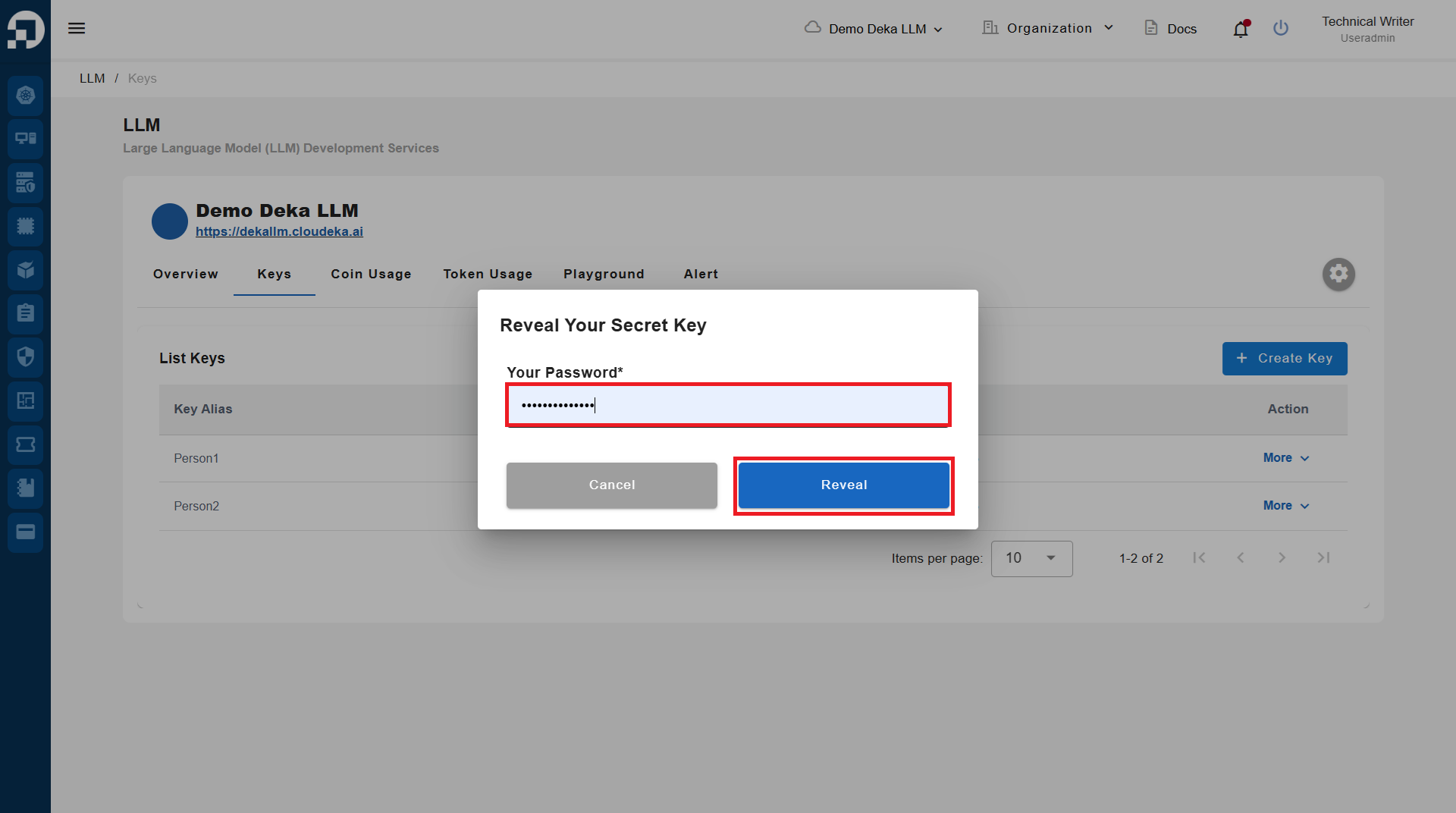
Enter the **password** you use to log in to the **Service Portal AI**, then click the **Reveal** button to display the **Secret Key**.
Reveal your secret key
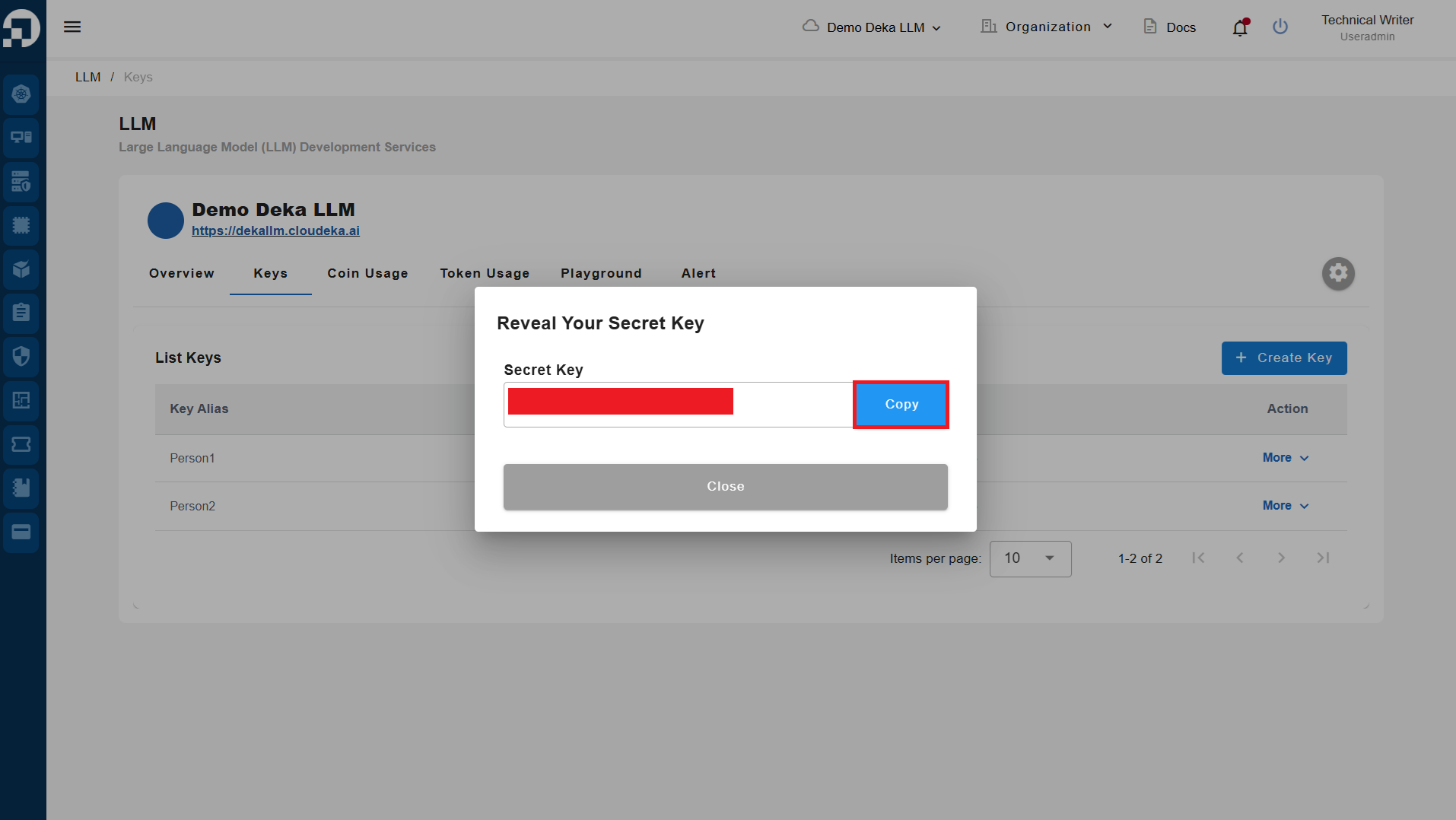
Click the **Copy** button to copy the **Secret Key** if you want to save it for your records.