> For the complete documentation index, see [llms.txt](https://docs.cloudeka.ai/llms.txt). Markdown versions of documentation pages are available by appending `.md` to page URLs; this page is available as [Markdown](https://docs.cloudeka.ai/guideline-for-individual/deka-llm/detail-deka-llm/top-up-coin.md).
# Top Up Coin
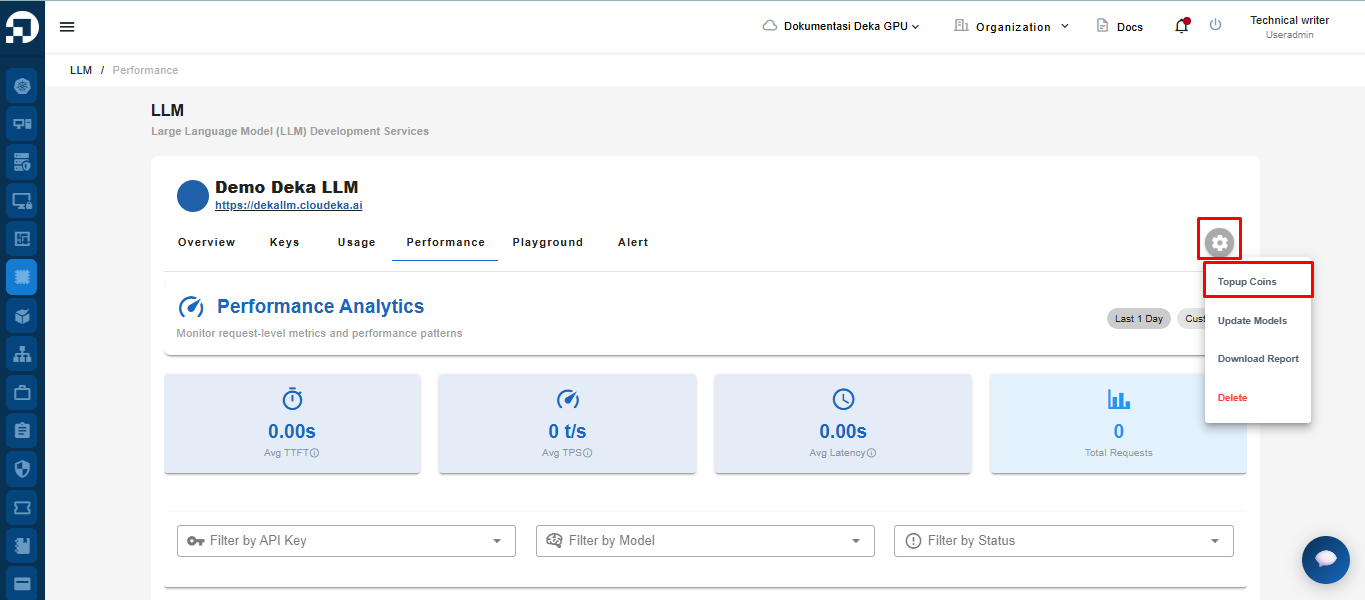
You can add coins to be used in Deka LLM. On the Deka LLM page, click the Settings button and select Topup Coins.
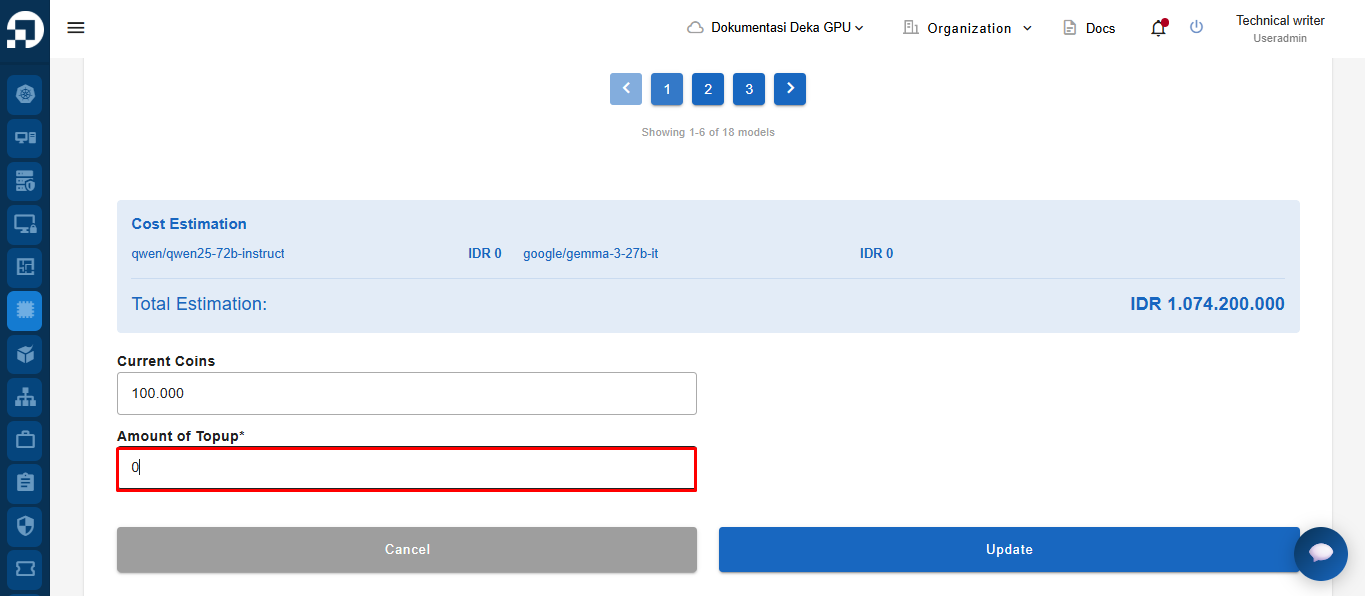
The Topup LLM Coins page will appear. In the Account of Topup field, enter the amount of coins you need.
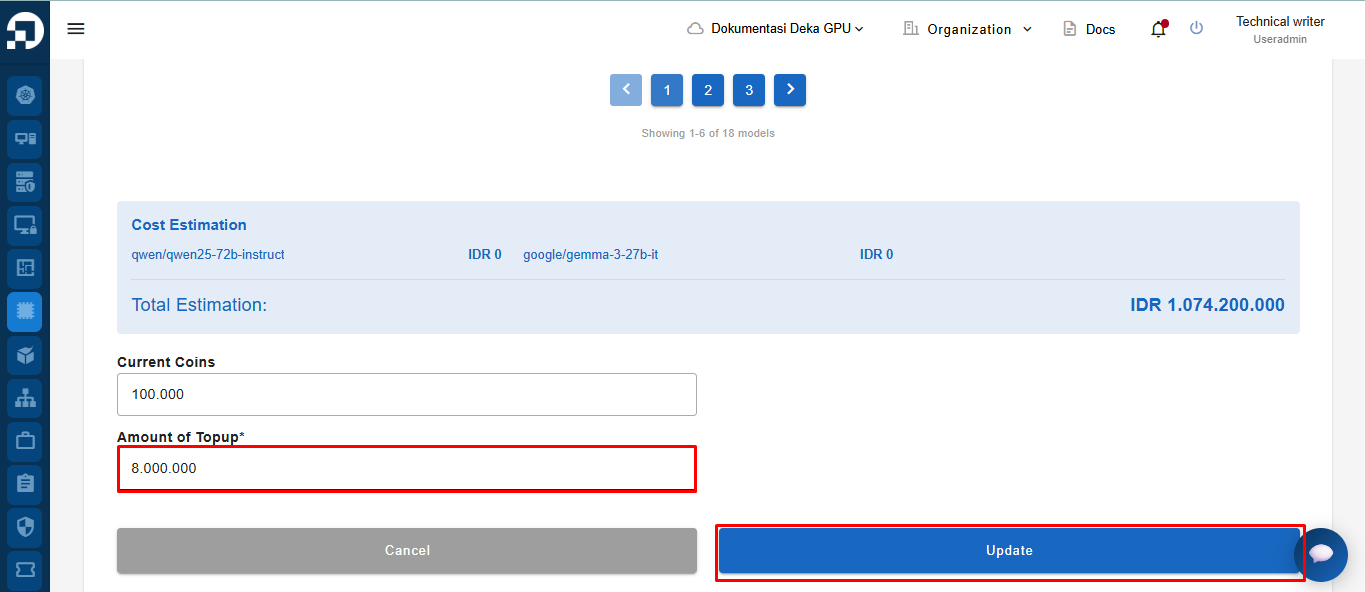
Enter the number of coins to add, then click the Update button to save the changes.
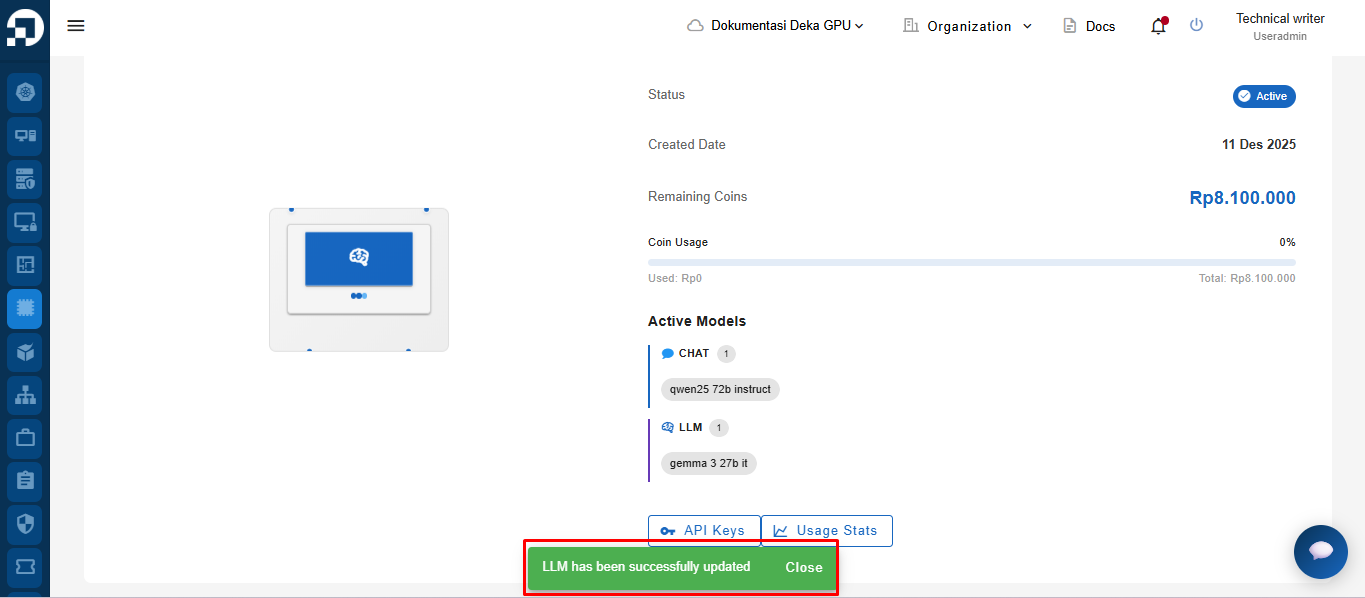
“LLM has been successfully updated” notification appears.