> For the complete documentation index, see [llms.txt](https://docs.cloudeka.ai/llms.txt). Markdown versions of documentation pages are available by appending `.md` to page URLs; this page is available as [Markdown](https://docs.cloudeka.ai/guideline-for-individual/deka-vpn/configuration-deka-vpn-openvpn/openvpn-detail.md).

# OpenVPN Detail

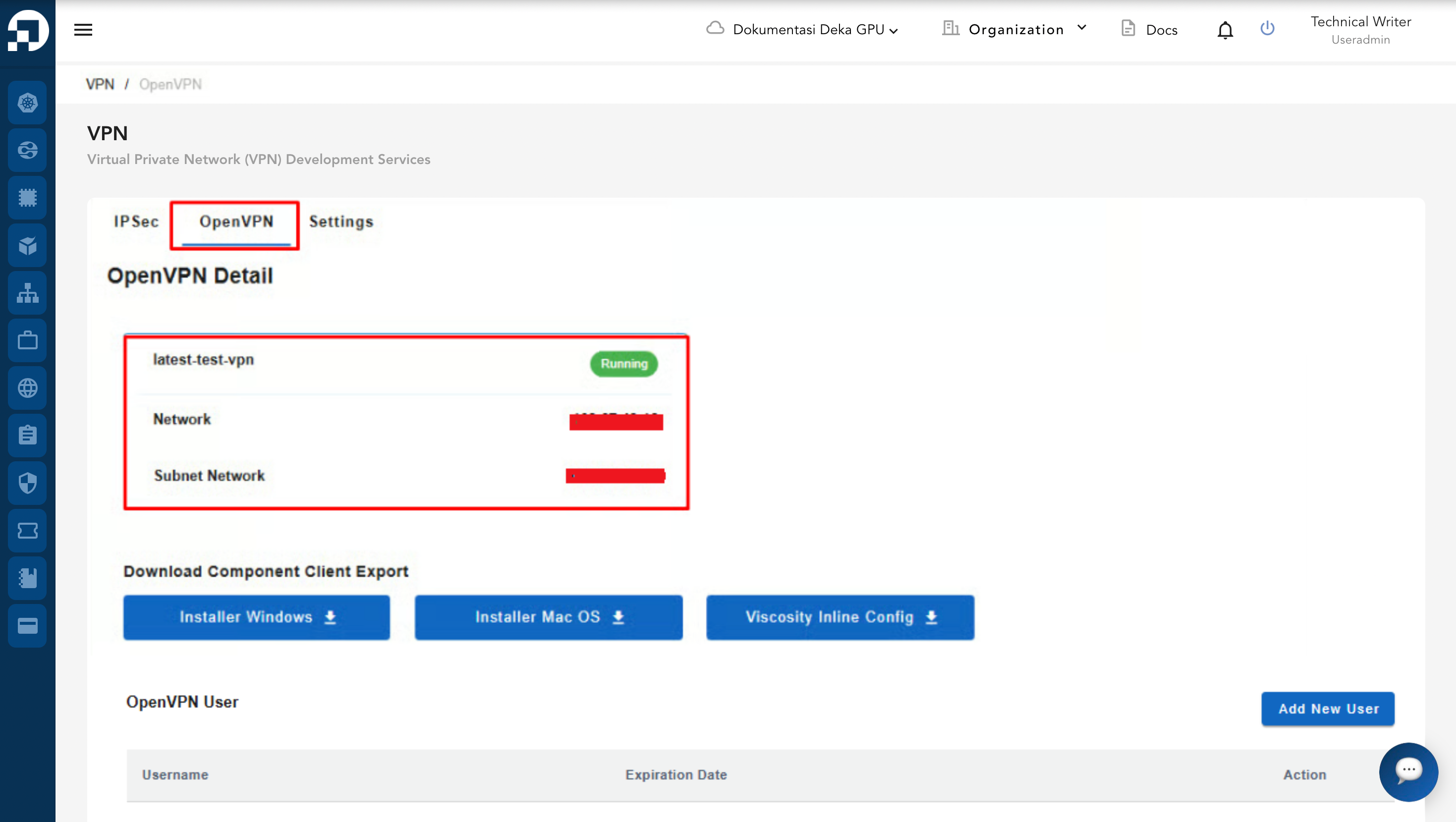
The OpenVPN Detail page displays basic information about the selected OpenVPN service. It shows the VPN name, the network address, and the subnet network.

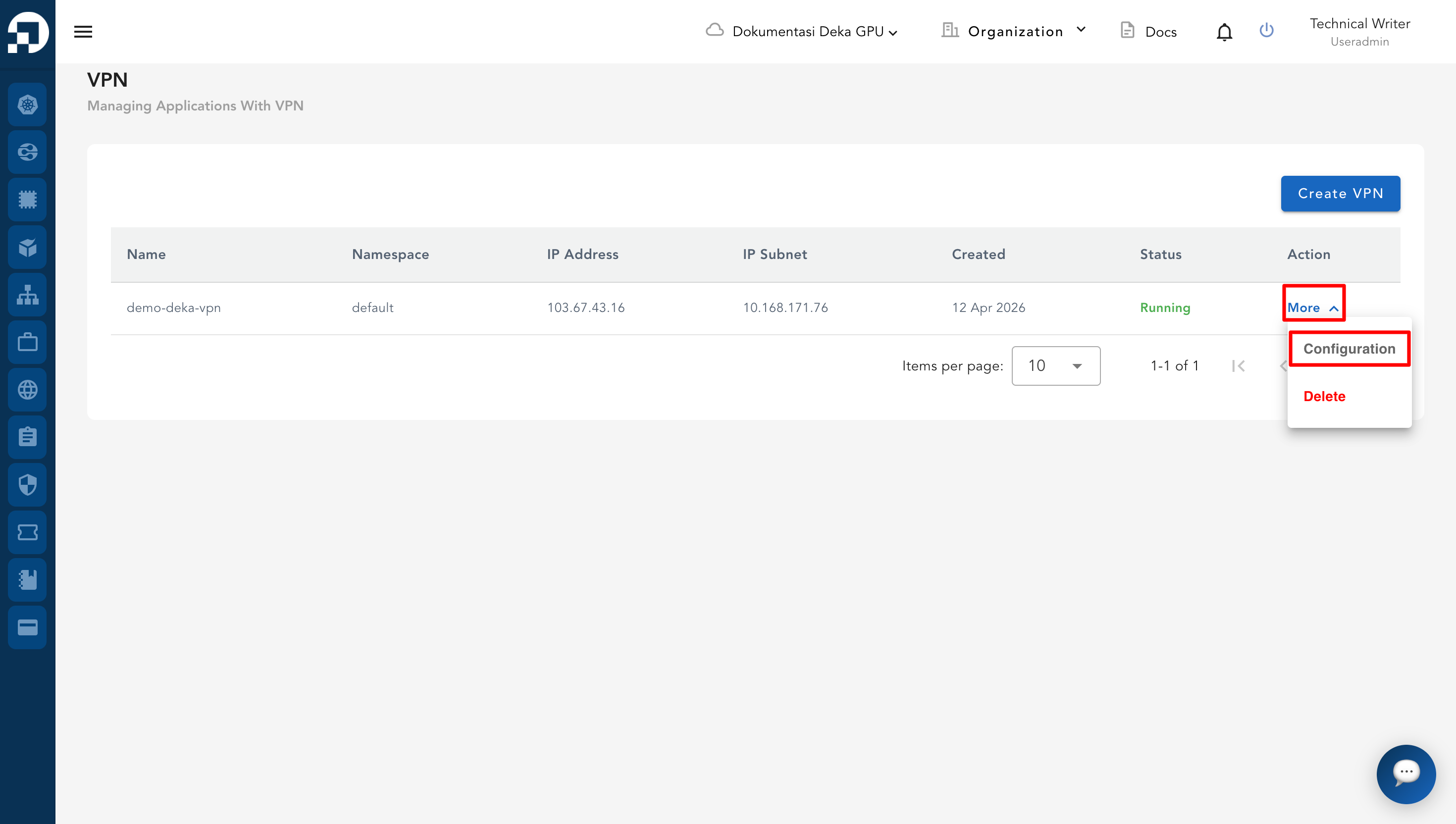
* From the **VPN List Table**, choose one of the existing VPN entries.
* In the **Action** column, click **More** then **Configuration**.

<figure><img src="https://content.gitbook.com/content/dRGHNSPw8ps5rkLJZT3A/blobs/rl5tFWqWDjhs1Lk5Hqsm/image.png" alt=""><figcaption></figcaption></figure>

* On the configuration page, select the **OpenVPN** tab. The OpenVPN Detail section displays the following information.

<table><thead><tr><th width="169">Column</th><th>Description</th></tr></thead><tbody><tr><td>VPN Name</td><td>Shows the name assigned to the VPN configuration (for example: <em>latest-test-vpn</em>).</td></tr><tr><td>Network</td><td>Displays the network address used by the VPN (for example: <em>110.67.43.20</em>).</td></tr><tr><td>Subnet Network</td><td>Indicates the subnet network configuration (for example: <em>10.10.25.5/24</em>).</td></tr></tbody></table>

* This page provides a quick overview of the OpenVPN configuration details.

<figure><img src="https://content.gitbook.com/content/dRGHNSPw8ps5rkLJZT3A/blobs/nqnIWN1wrGkRDnOAixeG/image.png" alt=""><figcaption></figcaption></figure>