> For the complete documentation index, see [llms.txt](https://docs.cloudeka.ai/llms.txt). Markdown versions of documentation pages are available by appending `.md` to page URLs; this page is available as [Markdown](https://docs.cloudeka.ai/guideline-for-individual/service-portal-ai/account-setting/edit-profile.md).
# Edit Profile
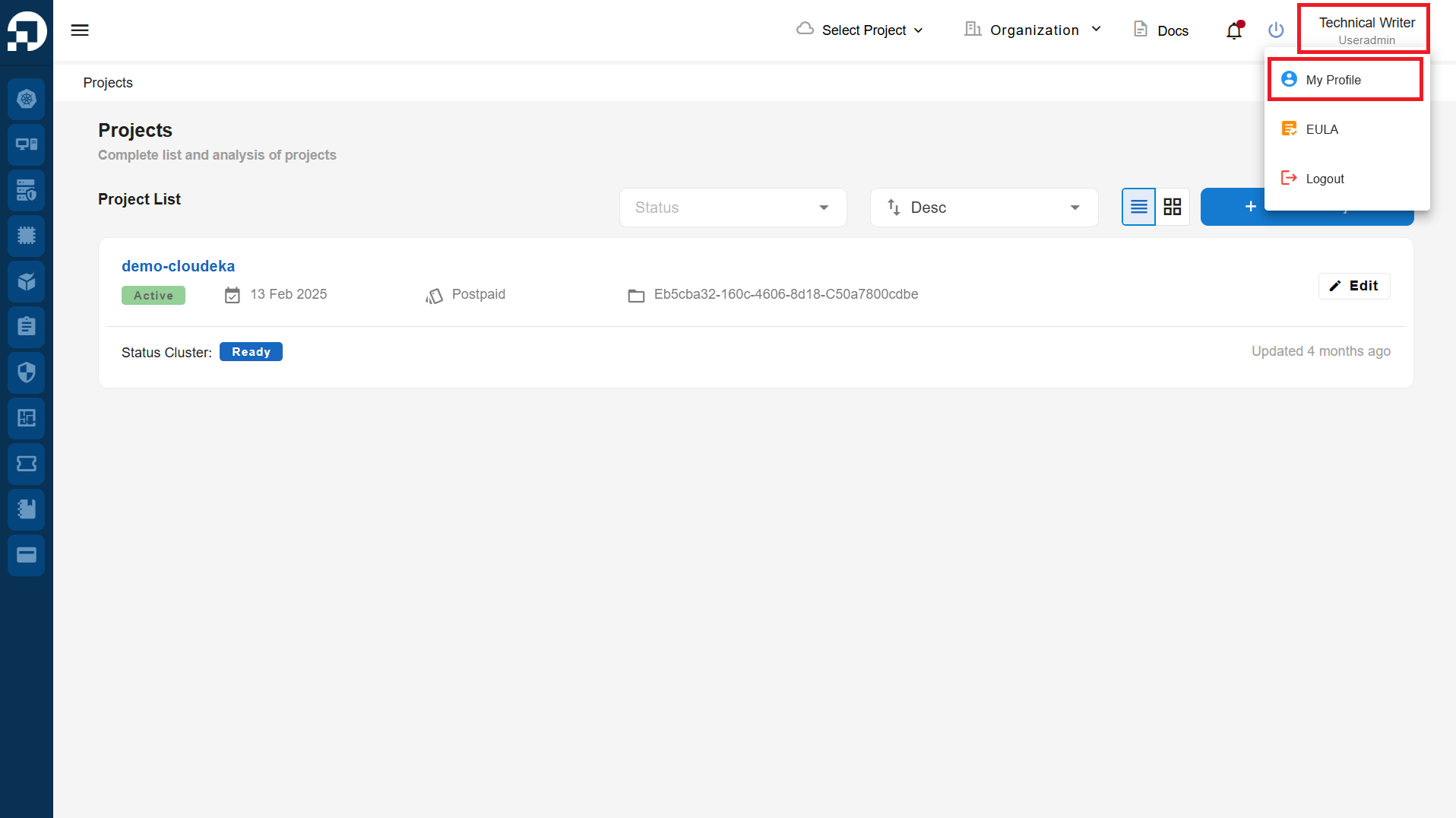
To update your data in the Service Portal Cloudeka, after you log in successfully to the Service Portal Cloudeka. Then, click on your account name and select **My Profile** button.
My profile
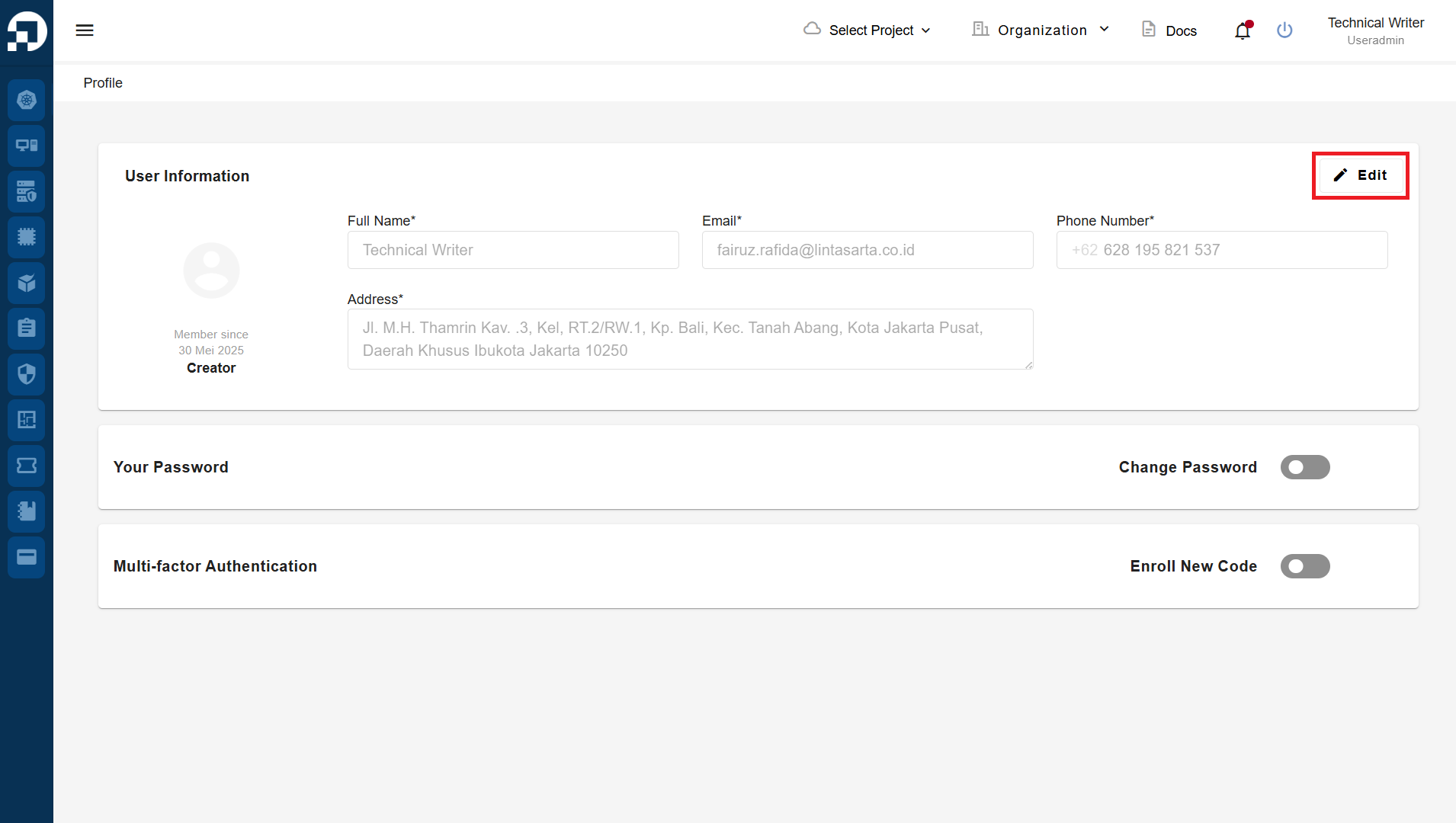
On the **User Information** page, click the **Edit** button.
User Information
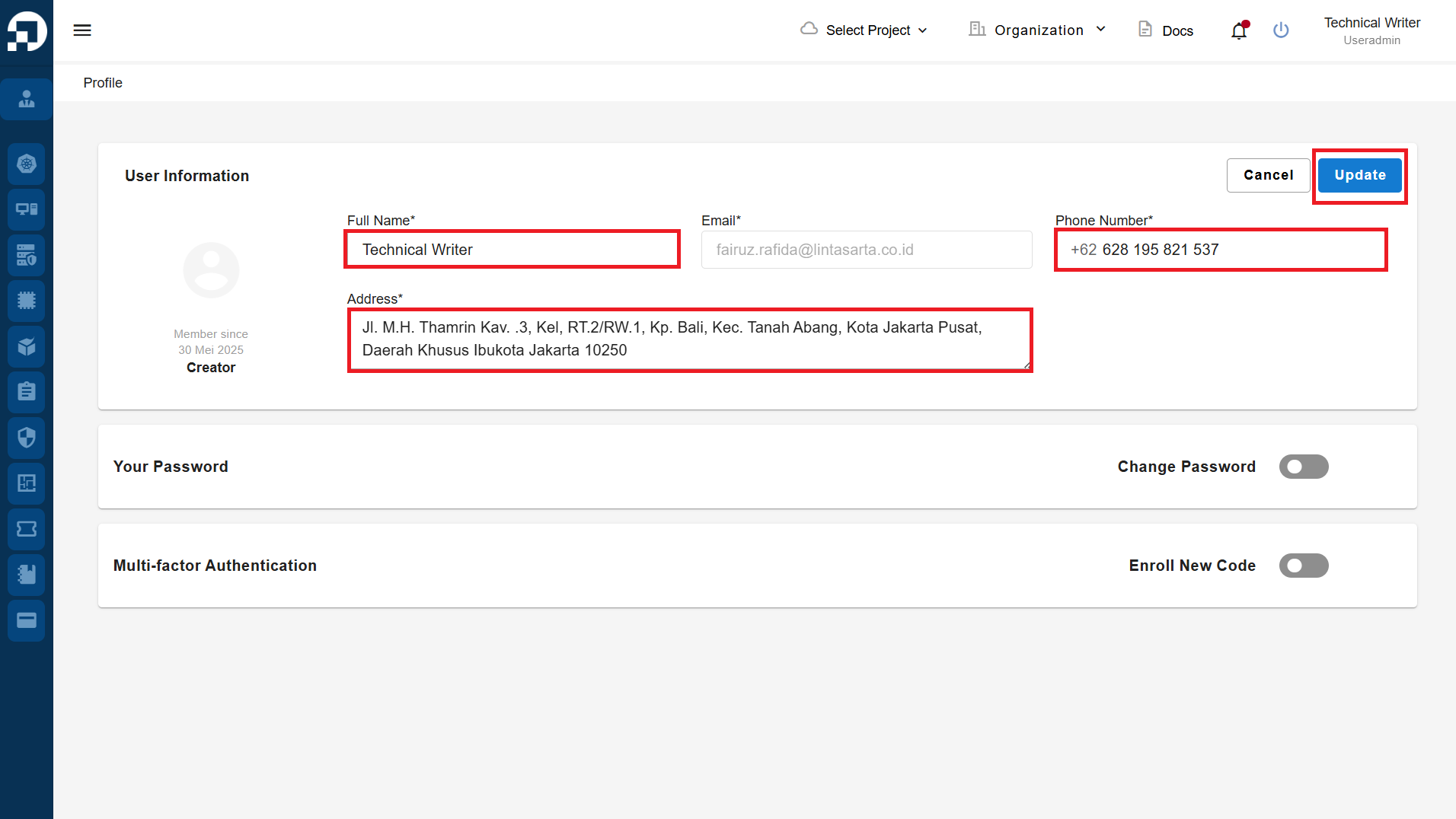
The **User Information** section contains several fields that you can update. Only a few of these fields can be modified, including **Full Name**, **Phone Number**, and **Address**. After making changes to your profile data, click the **Update** button.
Update User Information
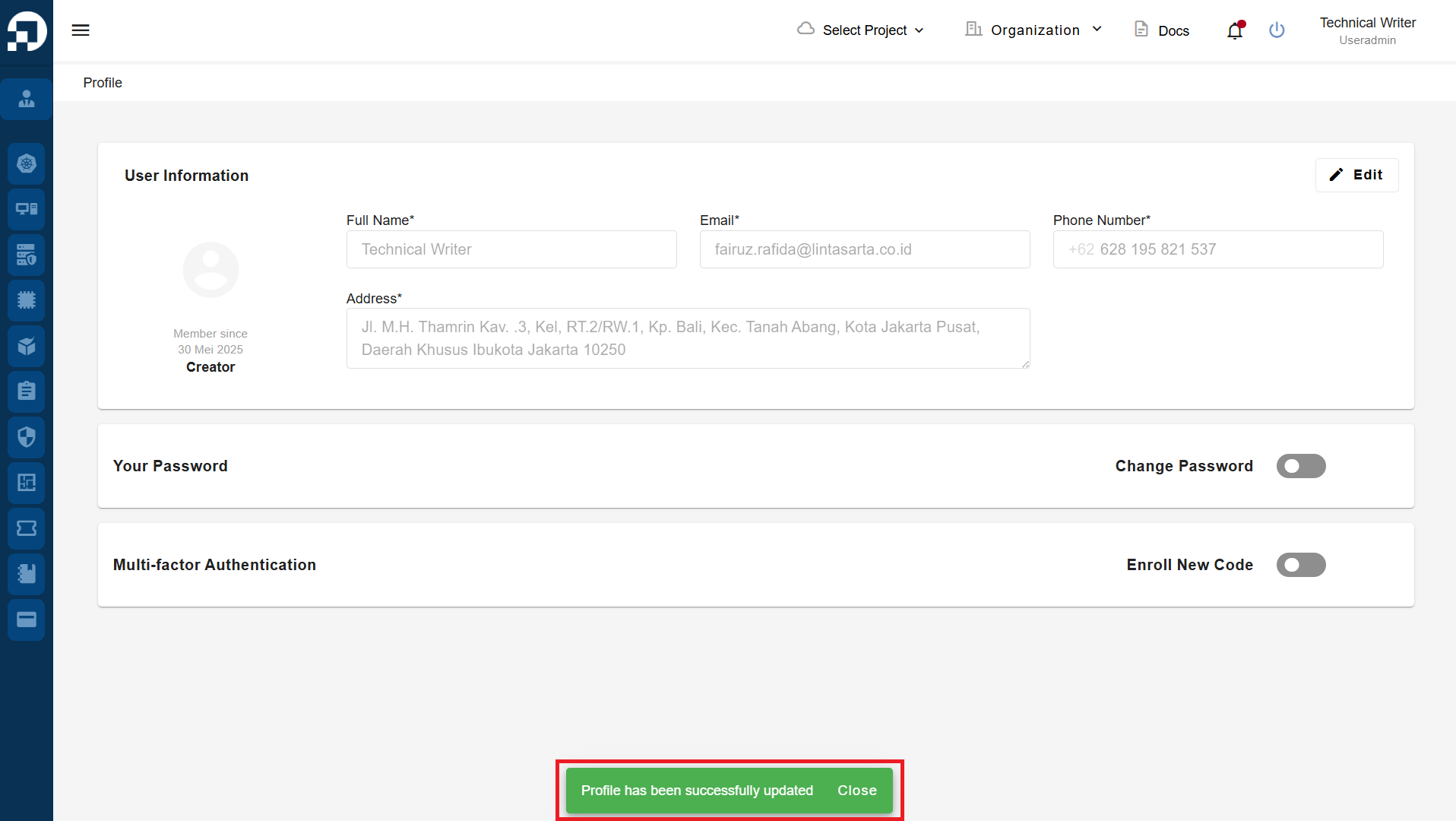
After you have successfully renewed, a notification will appear "Profile has been successfully updated”.