> For the complete documentation index, see [llms.txt](https://docs.cloudeka.ai/llms.txt). Markdown versions of documentation pages are available by appending `.md` to page URLs; this page is available as [Markdown](https://docs.cloudeka.ai/panduan-untuk-enterprise/cloudeka-api-list/command-reference/cldkctl-flexi/image/snapshot-vm.md).
# snapshot-vm
Create a snapshot of a VM instance and save it as a flexi image. This command allows you to capture the state of a VM instance at a specific point in time and use it as a flexi image for future deployments.
## Usage
```
cldkctl flexi image snapshot-vm [flags]
```
## Aliases
```
snapshot-vm, snapshot-vm
```
## Steps
Follow the steps below to run and view the result of this command:
#### Interactive Mode
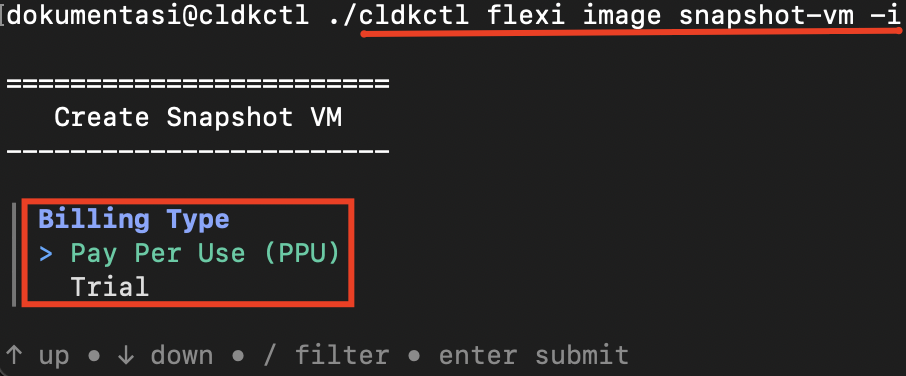
1. Run the following command in your terminal:
```
cldkctl flexi image snapshot-vm -i
```
2. Select the **billing type**.
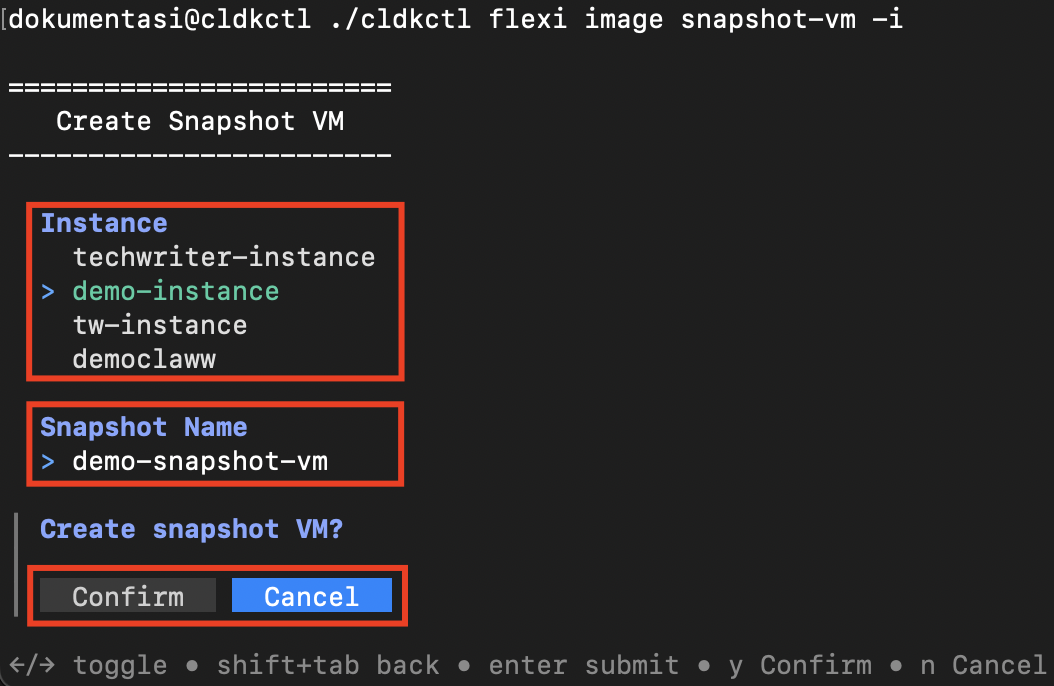
3. Select the **instance** for which you want to create the snapshot.
4. Enter the **snapshot name**.
5. Confirm the snapshot creation by selecting **Confirm**.
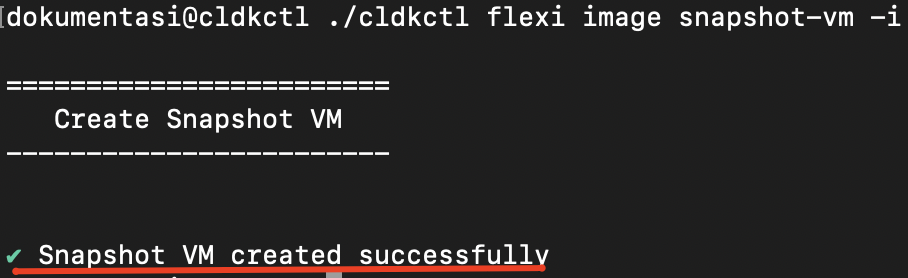
6. Once completed successfully, the terminal displays the success message.
#### Non-Interactive Mode
1. Provide all required values using command flags.
2. Add `--auto-confirm` or `-y` to skip confirmation prompts in non-interactive mode.
3. Run the command in your terminal.
4. Once completed successfully, the terminal displays the success message.
## Flags
{% hint style="info" %}
This command supports [global flags](/panduan-untuk-enterprise/cloudeka-api-list/global-flags.md). Refer to the Global Flags section for details
{% endhint %}
| Flag | Shorthand | Default | Description |
| ----------------- | --------- | ------- | --------------------------------- |
| --auto-confirm | -y | false | |
| --help | -h | | Help for the snapshot-vm command. |
| --instance string | | | |
| --interactive | -i | false | |
| --name string | -n | | |