> For the complete documentation index, see [llms.txt](https://docs.cloudeka.ai/llms.txt). Markdown versions of documentation pages are available by appending `.md` to page URLs; this page is available as [Markdown](https://docs.cloudeka.ai/reference/how-to-troubleshooting-dns/checking-in-palo-alto-url-filtering.md).
# Checking in Palo Alto URL Filtering
Palo Alto Networks provides a **URL Filtering** website to check the category and security status of a domain or URL identified by the Palo Alto Networks security system.
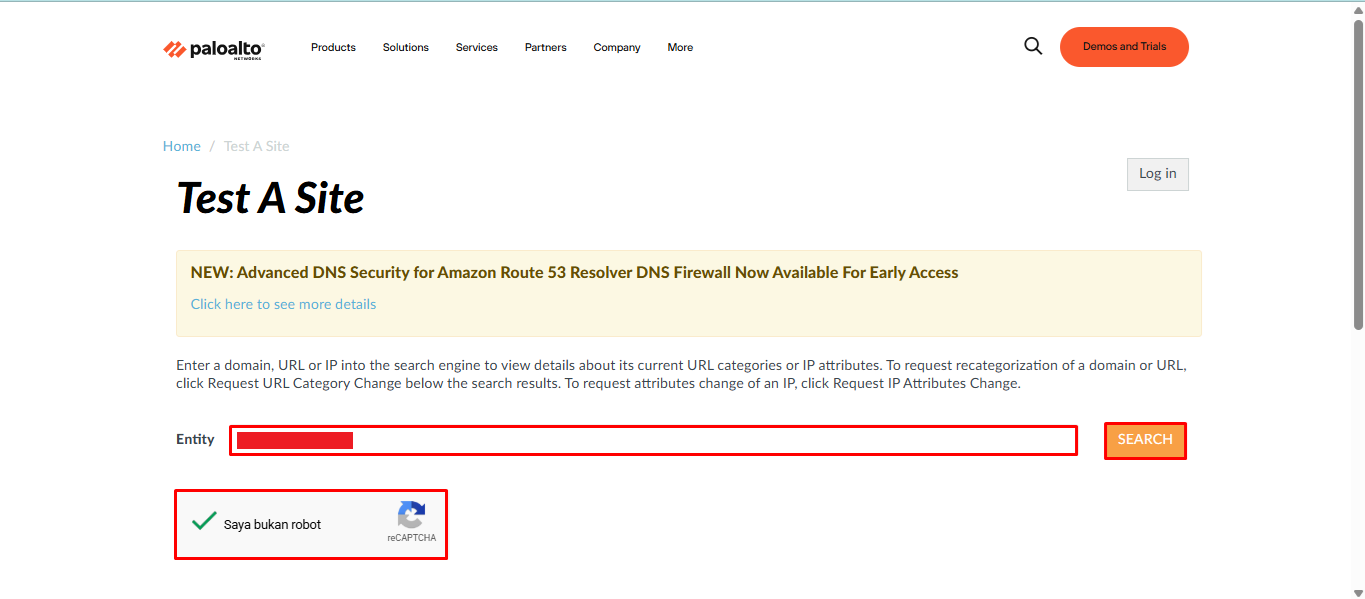
To perform the check, open [Palo Alto Filtering](https://urlfiltering.paloaltonetworks.com/), then enter [cirebonproperti.id](http://cirebonproperti.id). in the **Entity** field, complete the CAPTCHA, and click **Search**.
After the check is completed, Palo Alto Networks will display the domain category and status based on the detected classification.
## Check Results
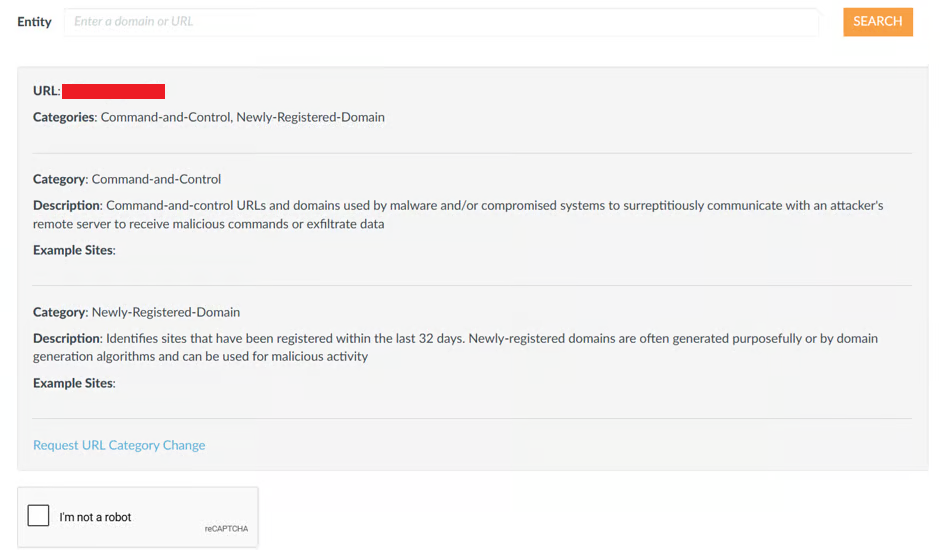
Based on the check performed on the example domain, the results are as follows:
Information
Result
Status
BLOCKED/FLAGGED
Detected Categories
Command and Control (C&C)
Newly Registered Domain
Reason
The domain is indicated as infrastructure for malicious activities
Based on these results, the domain is identified under the **Command and Control (C\&C)** and **Newly Registered Domain** categories, with a **BLOCKED/FLAGGED** status. This indicates that the domain is identified as infrastructure for malicious activities based on the Palo Alto Networks classification.
If the domain is legitimate but you believe it has been categorized incorrectly, you can submit a category change request through the [Request URL Category Change](/reference/how-to-troubleshooting-dns/how-to-request-a-dns-category-change.md) feature.