> For the complete documentation index, see [llms.txt](https://docs.cloudeka.ai/llms.txt). Markdown versions of documentation pages are available by appending `.md` to page URLs; this page is available as [Markdown](https://docs.cloudeka.ai/reference/how-to-troubleshooting-dns/how-to-request-a-dns-category-change.md).
# How To Request a DNS Category Change
## Legitimate Domain but Incorrectly Categorized
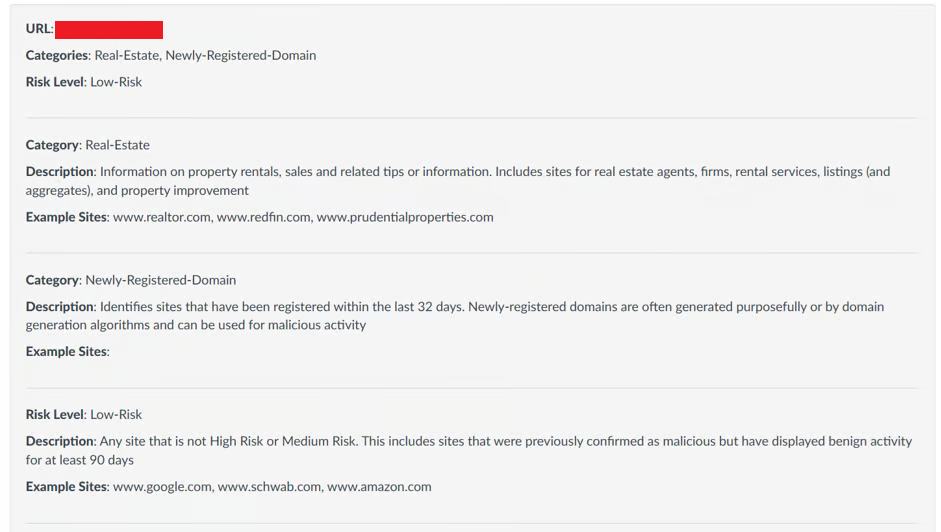
Sometimes, legitimate domains may be incorrectly categorized by Palo Alto Networks. If the check results show that the domain category is not appropriate, you can submit a category change request through [Palo Alto URL Filtering.](/reference/how-to-troubleshooting-dns/checking-in-palo-alto-url-filtering.md)
## Identify the Request URL Category Change Button
On the Palo Alto URL Filtering check results page, locate and click **Request URL Category Change** to submit a request to change the domain category.
## Select the Appropriate Category
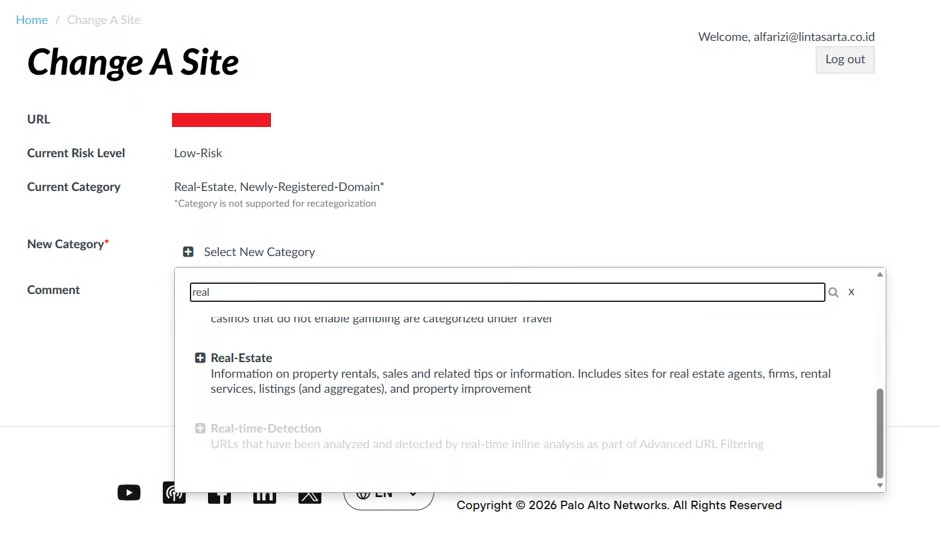
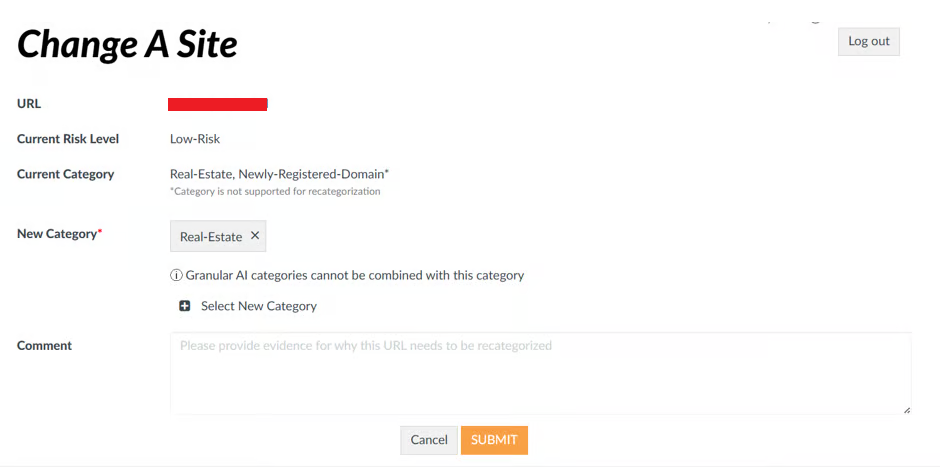
After clicking **Request URL Category Change**, the system will display the category change request form. Select the category that best matches the domain.
For the **cirebonproperti.id** example, the selected category is **Real-Estate** because the domain is used for property-related information.
## Provide a Reason/Comment
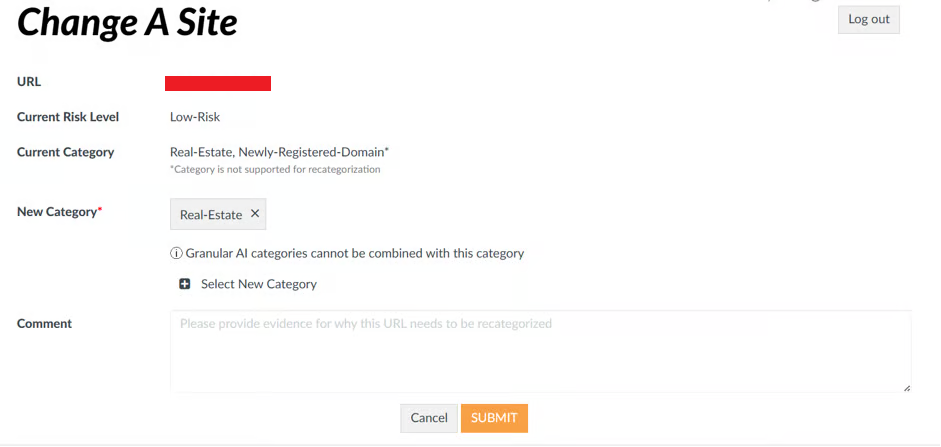
In the **Comment** section, explain why the domain needs to be recategorized. Include information demonstrating that the selected category is appropriate based on the domain's purpose and usage.
## Submit The Form
After reviewing all the entered information, including the selected category and comment, click **Submit** to submit the category change request.
Save the **ticket or confirmation number** provided for future reference and to monitor the request.
## Processing Timeline
A category change request requires processing time because it must undergo a manual review by the Palo Alto Networks security team, including rescanning the domain and verifying the classification from a security perspective.
The process typically takes **2–7 business days** and may take up to **2 weeks** for complex cases.
{% hint style="info" %}
**Note:**\
If the review results indicate that the domain belongs to a **Security** category (such as Malware, Command & Control, Phishing, etc.), proceed with **reporting the issue to the DNS service provider and submitting a DNS Unblock request**.
{% endhint %}
#### 1. Report to the DNS Service Provider
Prepare the following information:
* **Domain/IP** that is experiencing the issue
* **Evidence from Palo Alto URL Filtering**, such as a screenshot or link
* A brief **description of the issue**
To report the issue, contact your DNS service provider, such as your **registrar, hosting provider, or ISP**, through their support ticket or contact channel. Provide the prepared information and evidence so that the service provider can understand the issue.
#### 2. Submit the DNS Unblock Request Form
A **DNS Unblock Request** can be submitted if the domain is legitimate but is categorized under **Security**, is experiencing a **false positive**, or there is strong justification to request access to the domain.
Complete the required information in the form, such as:
* **Domain name** requested to be unblocked.
* **Business justification** for requesting access.
* **Proof of domain legitimacy** (certificate, documentation, etc.).
* **Responsible contact person.**
* **Management approval.**