> For the complete documentation index, see [llms.txt](https://docs.cloudeka.ai/llms.txt). Markdown versions of documentation pages are available by appending `.md` to page URLs; this page is available as [Markdown](https://docs.cloudeka.ai/service-portal-ai/organization-settings/configure-enterprise-sso.md).
# Configure Enterprise SSO
Enterprise SSO allows organizations to authenticate users using their organization account, enabling users to sign in to the Service Portal Cloudeka without using separate Cloudeka credentials. Once Enterprise SSO is configured, users can sign in through the [**Sign In with Enterprise SSO**](/service-portal-ai/sign-in/sign-in-using-enterprise-sso.md) option on the Sign In page.
{% hint style="info" %}
Only **Useradmin** accounts with the **Creator** role can access and configure the **Enterprise SSO** menu.
If you are unsure about your current role, refer to the [**Detail User**](/service-portal-ai/organization-settings/create-user/detail-user.md) page.
{% endhint %}
{% hint style="warning" %}
Enterprise SSO currently supports Google as the Identity Provider (IdP).
{% endhint %}
To configure Enterprise SSO for your organization, complete the following steps.
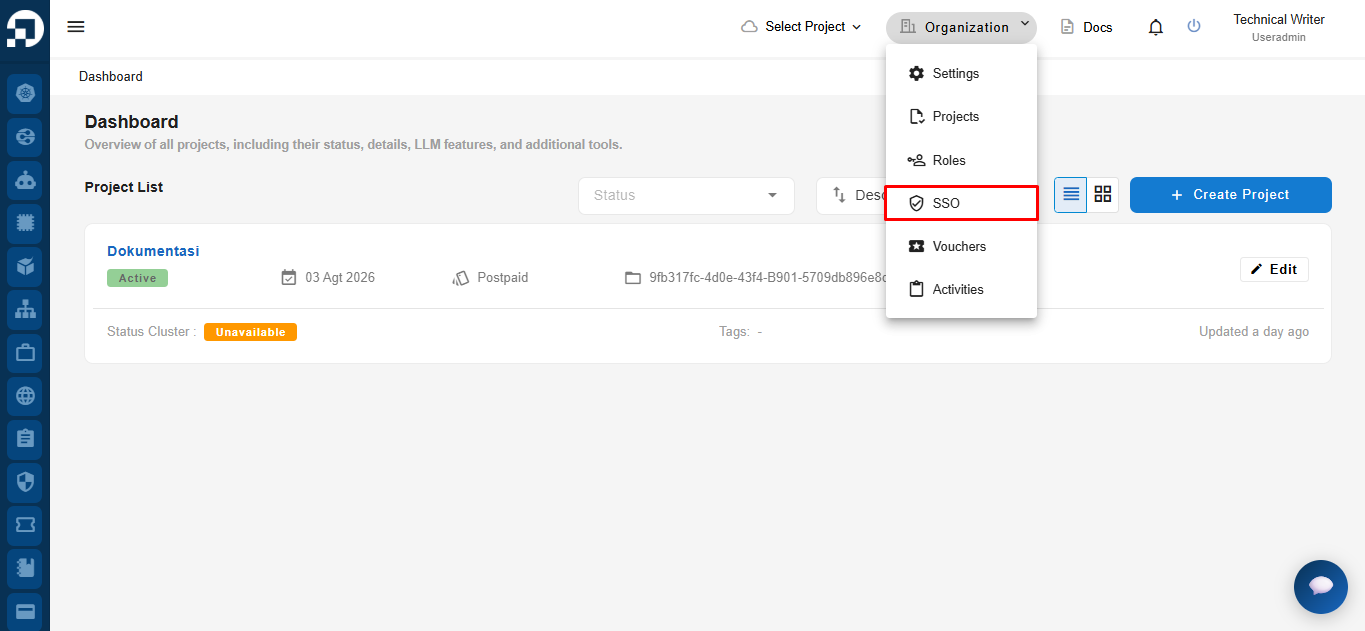
On the top navigation bar, click **Organization**, then select **SSO**.
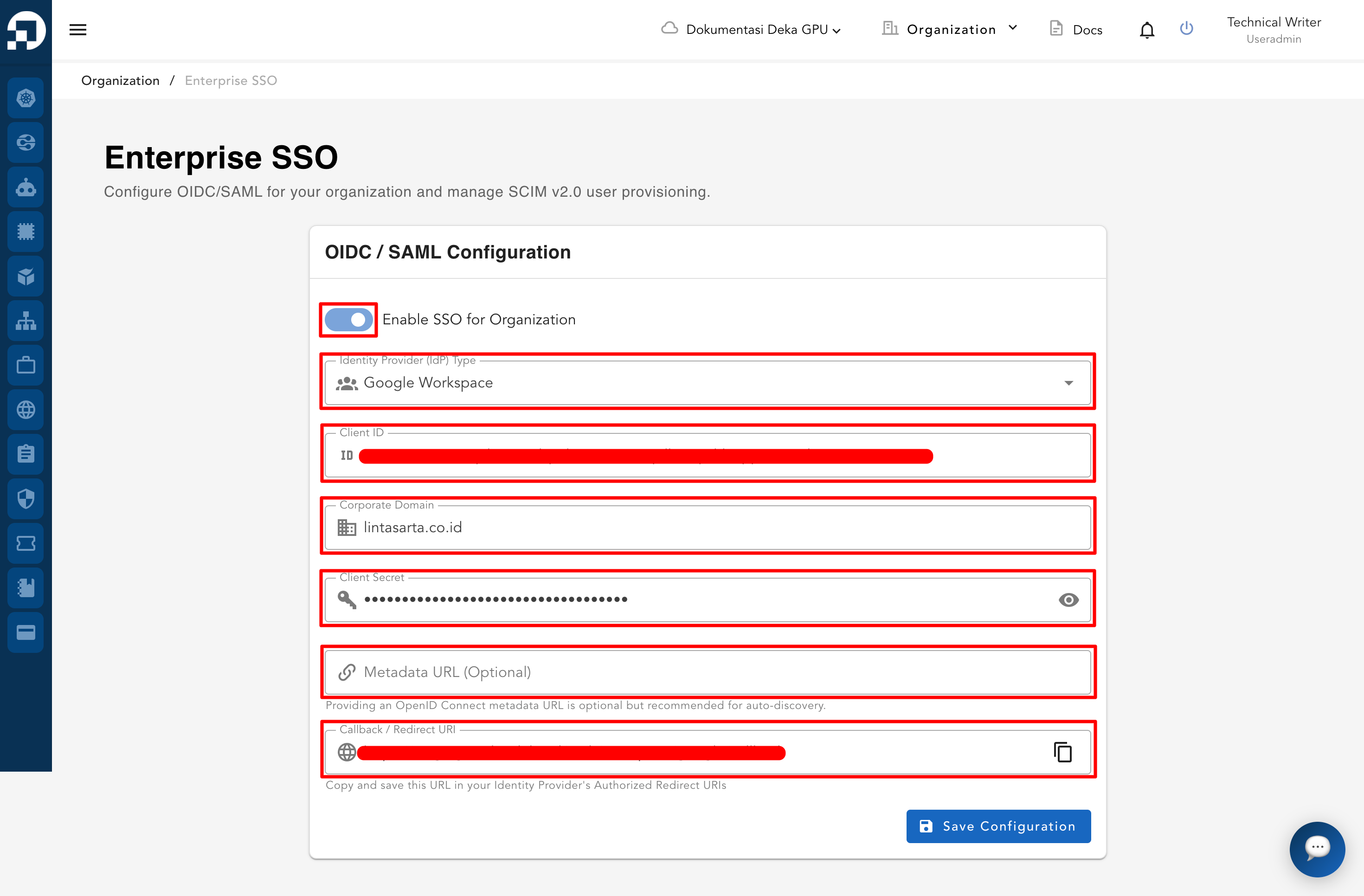
Enable the **Enable SSO for Organization** option and configure or update the Enterprise SSO settings as required.
| Column | Description |
| ---------------------------- | -------------------------------------------------------------------------------- |
| Identity Provider (IdP) Type | The identity provider used for Enterprise SSO authentication. |
| Client ID | The client identifier generated by the identity provider. |
| Corporate Domain | The organization's domain associated with Enterprise SSO. |
| Client Secret | The client secret generated by the identity provider. |
| Metadata URL (Optional) | The metadata endpoint used for identity provider configuration. |
| Callback / Redirect URI | The redirect URI that must be registered in the identity provider configuration. |
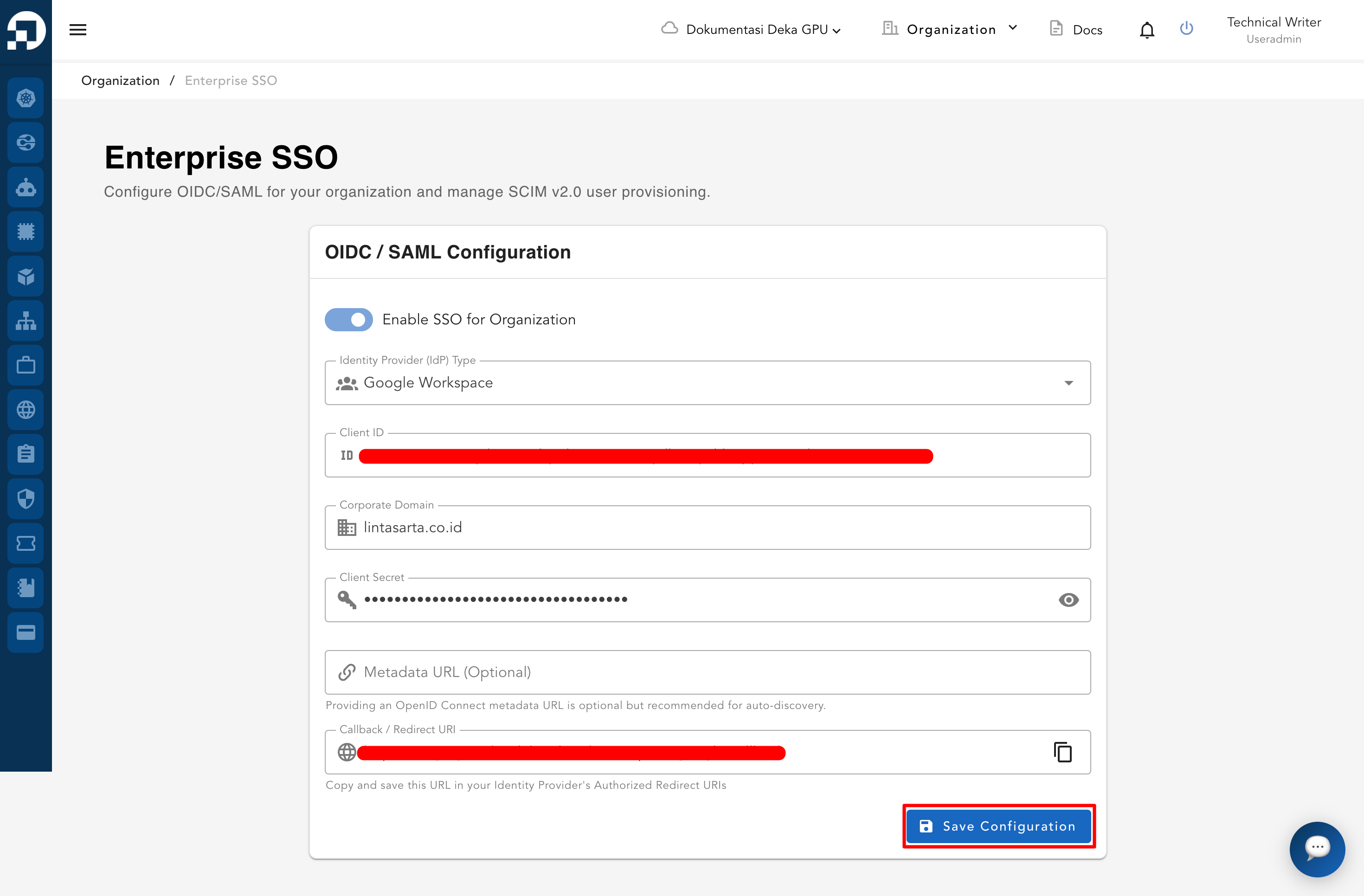
Click the **Save Configuration** button to save the Enterprise SSO configuration.
After the configuration is successfully saved, users within the organization can sign in to the Service Portal Cloudeka using the [**Sign In with Enterprise SSO**](/service-portal-ai/sign-in/sign-in-using-enterprise-sso.md) option.
{% hint style="info" %}
Before users can sign in using Enterprise SSO, the feature must first be configured by a **User Admin** with the **Creator** role.
{% endhint %}