# Add Attachment

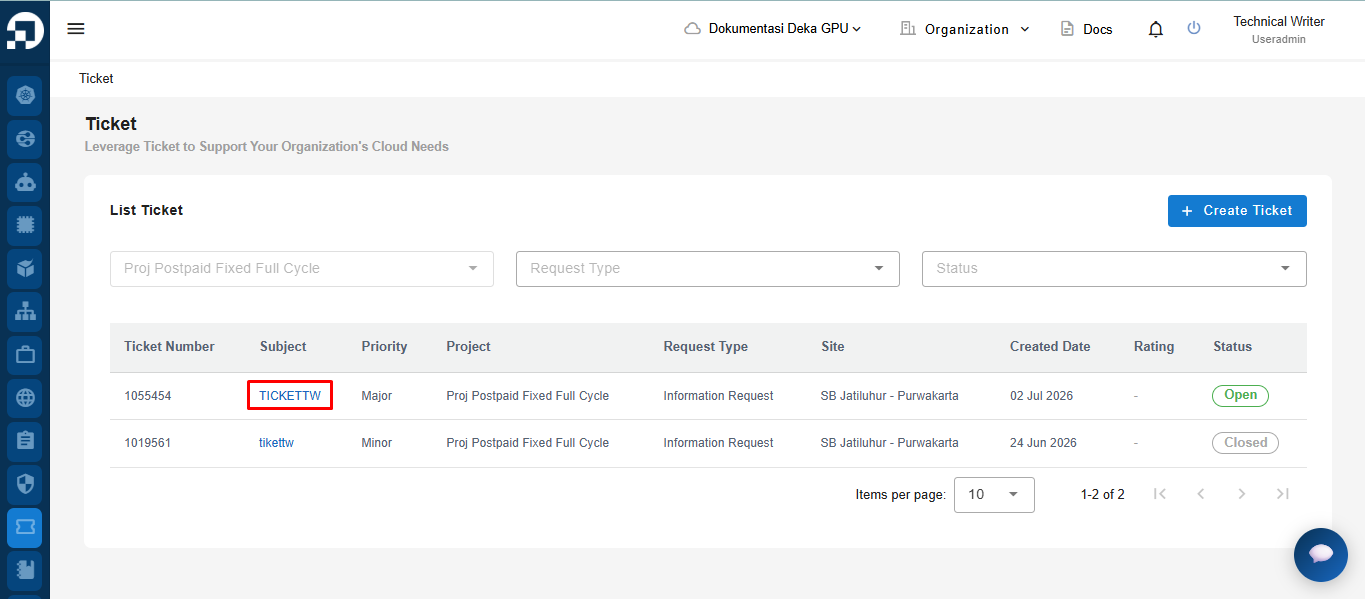
On the Ticket page, select the ticket for which you want to view data information by pressing the ticket label in the Subject column.

<figure><img src="https://lh7-rt.googleusercontent.com/docsz/AD_4nXf9hdZhfKTsCjWYMkpEoGg7NIkShoj1WGHDINGP_AnPWqxRdSXl_k_6Igs7uHnnk4MD92tJWSIg1O4U81biACvrTWGqP6iSGEZCJAZ_0MUGBaBBmSlr0COKrDLtKh8Gm8mMjOSzWA?key=6zEp4ERTP8D7rdDniX9O3w" alt=""><figcaption><p>Detail Ticket</p></figcaption></figure>

The Ticket Details page appears, there is some ticket data information displayed, you can attach evidence and add information to the ticket.

<figure><img src="https://lh7-rt.googleusercontent.com/docsz/AD_4nXcEnNHKfbWcc_ZRTr9IXok0pIJq98JWz2NnM5oUbGyOnPTK4qCpWdqOtswtv7WTz4hfmj8lJflh1nDgkifxRrj4sngrk61AuaqZa4IIdZAVQLynEtRqVIAd47W_bgYBIw?key=6zEp4ERTP8D7rdDniX9O3w" alt=""><figcaption><p>Detail Ticket</p></figcaption></figure>

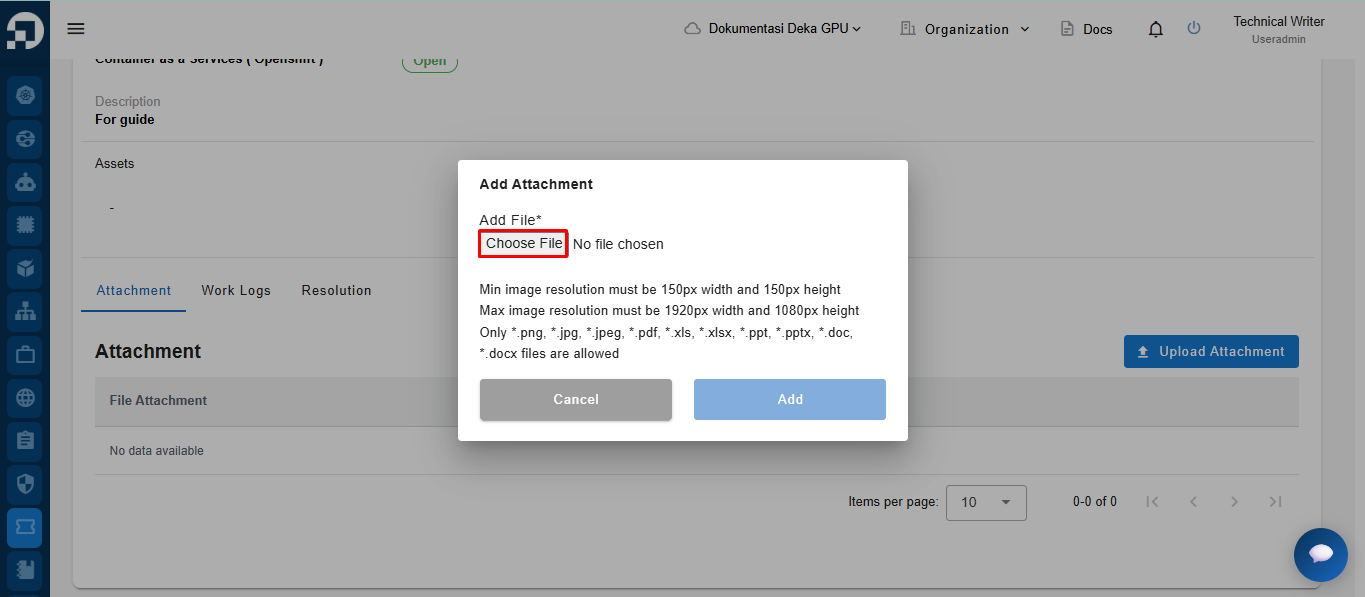
In the Attachment section, you can attach files to complete the ticket you created. There are several terms and conditions for files that can be uploaded:

1. The minimum image resolution has a width of 150 pixels and a height of 150 pixels and the maximum image resolution has a width of 1920 pixels and a height of 1080 pixels.
2. Only files with jpeg and png extensions can be uploaded.

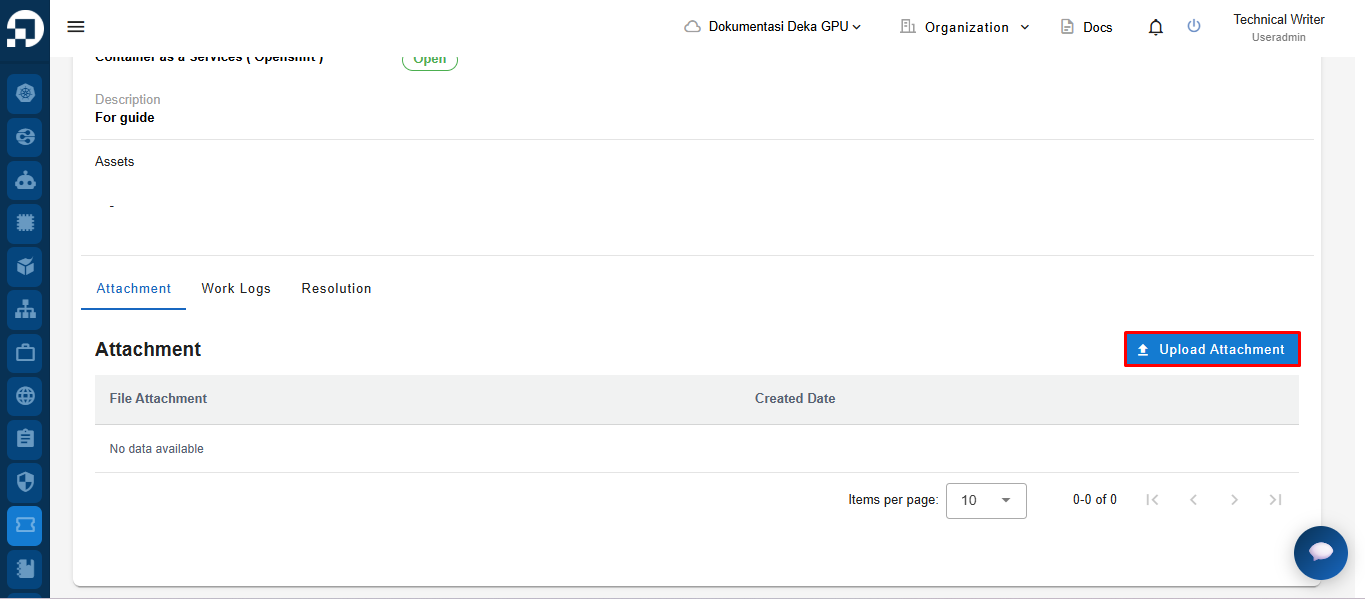
The following is a guide to adding attachments to tickets that have been created in the Deka GPU Portal Service, in the Attachments section on the Ticket Details page, press the Upload Image button.

&#x20;The Add Attachment window appears, press the Select File button, and determine the file to upload.

<figure><img src="https://lh7-rt.googleusercontent.com/docsz/AD_4nXdlL5AHr6b1_ltNoQf2svlvSU_rq3PoASzGm-105dPjBDAGT4c0VsSDa_w1MBmPCM9sbtK3j4cn5BS7C_DZhxCTTvxv0TBOK2xyu0ACG17sHoNV8UlJsSs0hgqqSWmvkNHWl7JdQg?key=6zEp4ERTP8D7rdDniX9O3w" alt=""><figcaption><p>Add Attachment Ticket</p></figcaption></figure>

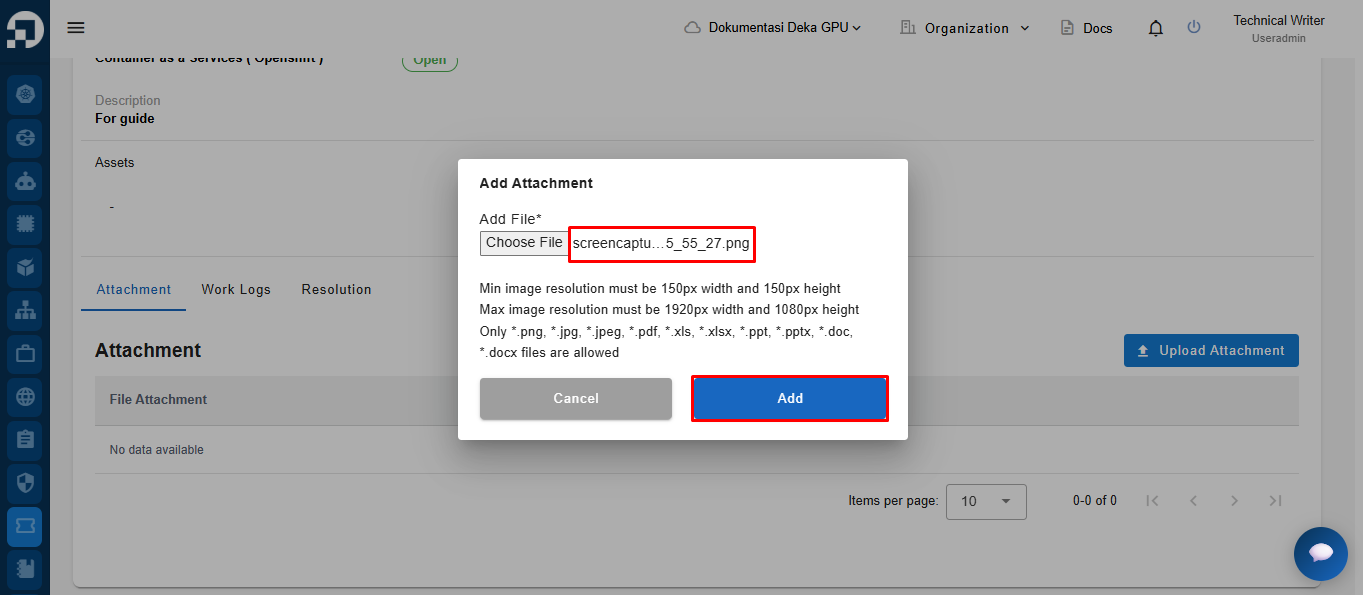
If the image is already attached, press the Add button to add the attachment to the ticket.
<figure><img src="https://lh7-rt.googleusercontent.com/docsz/AD_4nXcP2EeP6CdYdflT2uvenFaxMmnjEqu4oo_8wXxRtxJ0pnx26z_KuZMlNY7aEs-jsO69PDyd4z1reLOmsZqw8r8VoiS8uXg6puu6vIoOKeQ_kapjABmxffuqjvjMsNVGLh57ZMHQ?key=6zEp4ERTP8D7rdDniX9O3w" alt=""><figcaption><p>Add Attachment Ticket</p></figcaption></figure>


---

# Agent Instructions: Querying This Documentation

If you need additional information that is not directly available in this page, you can query the documentation dynamically by asking a question.

Perform an HTTP GET request on the current page URL with the `ask` query parameter:

```
GET https://docs.cloudeka.ai/service-portal-ai/ticket/add-attachment.md?ask=<question>
```

The question should be specific, self-contained, and written in natural language.
The response will contain a direct answer to the question and relevant excerpts and sources from the documentation.

Use this mechanism when the answer is not explicitly present in the current page, you need clarification or additional context, or you want to retrieve related documentation sections.