> For the complete documentation index, see [llms.txt](https://docs.cloudeka.ai/llms.txt). Markdown versions of documentation pages are available by appending `.md` to page URLs; this page is available as [Markdown](https://docs.cloudeka.ai/service-portal-ai/voucher.md).
# Voucher
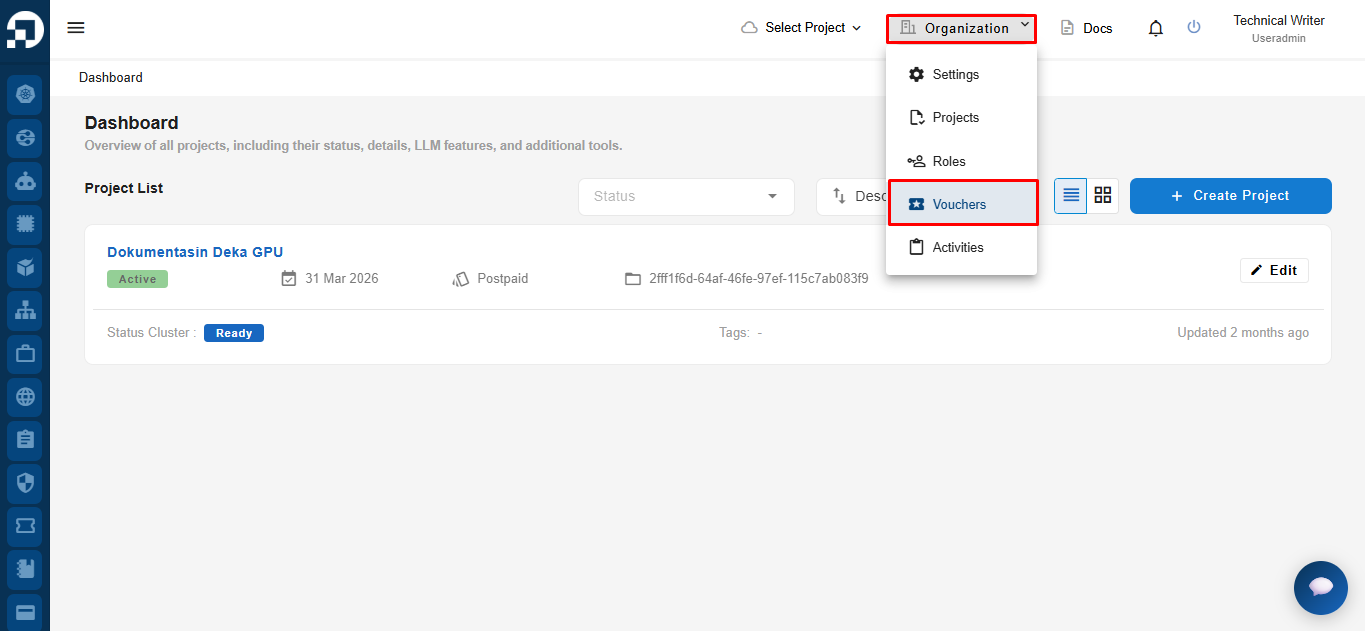
The Service Portal Cloudeka has a voucher feature. To try the voucher feature on the Service Portal Cloudeka page, press the Organization button and select Voucher.
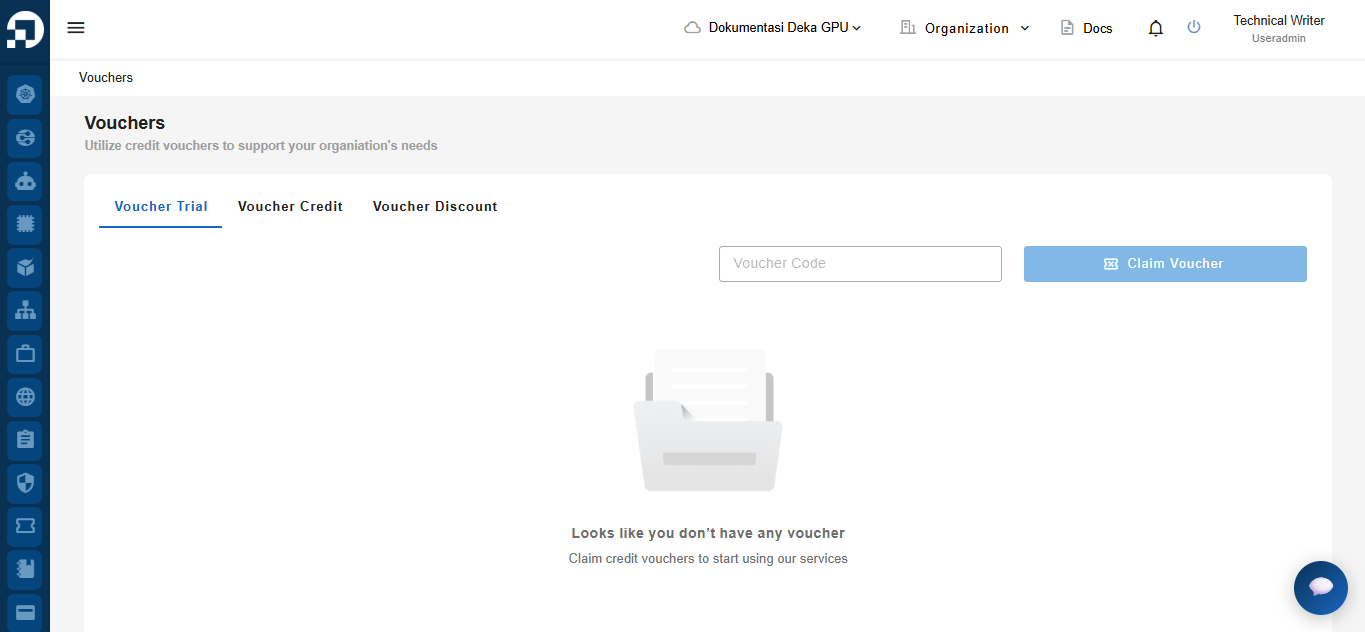
On the **Vouchers** page, there are three voucher categories available: **Voucher Trial**, **Voucher Credit**, and **Voucher Discount**.
For now, there are three types of vouchers available on the Service Portal Cloudeka.
1. [**Voucher Trial**](/service-portal-ai/voucher/voucher-trial.md) on the Service Portal Cloudeka which are given to you to try the Deka LLM service for free within a certain time limit.
2. [**Voucher Credit**](/service-portal-ai/voucher/voucher-credit.md) on the Service Portal Cloudeka which are given to users in the form of a credit balance that can be used to access various products on the Service Portal Cloudeka.
3. [Voucher Discount](/service-portal-ai/voucher/voucher-discount.md) provides discounts that can be applied to eligible products or services on the **Service Portal Cloudeka**, subject to the applicable terms and conditions.
Each voucher has its own validity period and must be used before its expiration date. Once a voucher expires, it can no longer be used.