> For the complete documentation index, see [llms.txt](https://docs.cloudeka.ai/llms.txt). Markdown versions of documentation pages are available by appending `.md` to page URLs; this page is available as [Markdown](https://docs.cloudeka.ai/cloudeka-api-list/command-reference/cldkctl-edit/persistentvolume.md).
# persistentvolume
The edit persistentvolume command allows you to modify the configuration of an existing Persistent Volume (PV) in your Kubernetes cluster. You can update metadata, access modes, reclaim policies, and other parameters as needed. Note that some changes, such as adjusting storage capacity, may be limited depending on your storage provider.
## Usage
```
cldkctl edit persistentvolume [name] [flags]
```
## Steps
Follow the steps below to run and view the result of this command:
1. Run the following command in your terminal:
```
cldkctl edit persistentvolume [persistentvolume name]
```
2. Replace \[persistentvolume name] with the name of the Persistent Volume you want to modify.
3. To view the list of available resources before editing, refer to the corresponding get persistentvolume section.
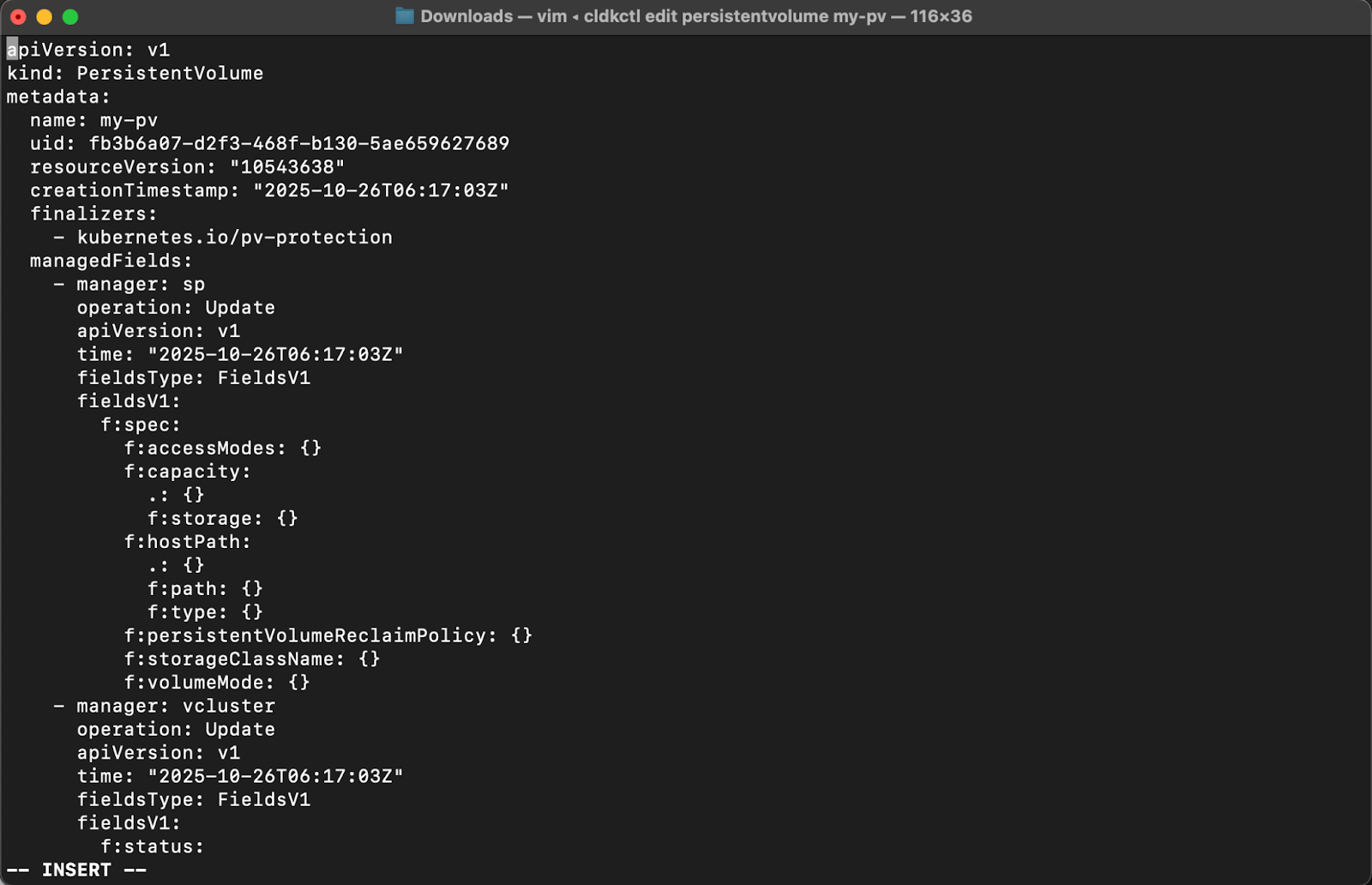
4. The Persistent Volume manifest file will open in your default text editor (default: vim). Edit the configuration as needed, then save and close the editor to apply the changes. If you are using vim, press i to enter insert mode and make your edits. When you have finished editing, press Esc, type :wq, and press Enter to save and exit. To exit without saving changes, type :q! and press Enter.
5. Once completed successfully, a message “✓ Persistent Volume updated” will appear in your terminal.
## Flags
{% hint style="info" %}
This command supports [global flags](/cloudeka-api-list/global-flags.md). Refer to the Global Flags section for details.
{% endhint %}
| Flag | Description |
| ---------- | --------------------------------------- |
| -h, --help | Help for edit persistentvolume command. |